## Unreadable ROM on an Older WD Drive: Rebuilding It from a Donor ROM
An external 3.5" Western Digital drive responded to being plugged in with nothing more than a lit LED. The computer never detected it, and the data stayed out of reach. Inside the enclosure was a 160 GB WD Caviar SE WD1600JB from 2006 that had served for years as the backup of a large personal and work archive—and that backup had since become the only existing copy.
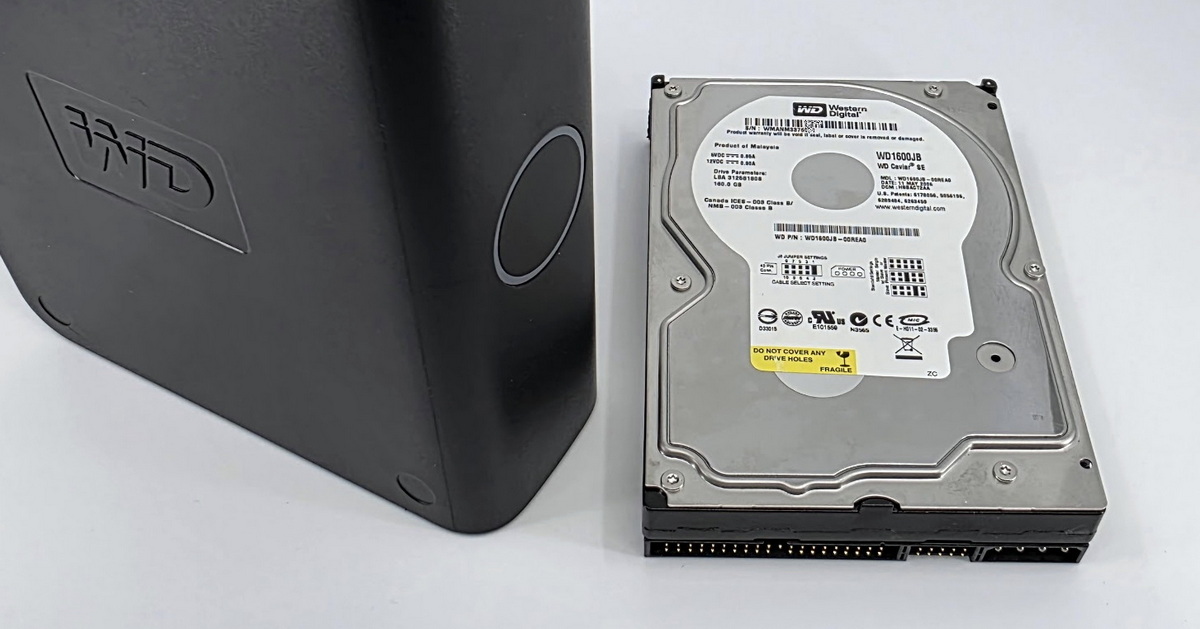 Diagnostics revealed two unusual circumstances: the cause was not mechanical but an unreadable ROM on the drive’s electronics, which is rare on WD drives. The way back to the data then ran through a ROM rebuild from a donor drive—a route that is far from routine on a drive family this old.
A PATA (IDE) drive belongs to a generation whose design is simpler and more predictable than today’s drives. For the layperson, that meant the mechanics were in surprisingly good shape after twenty years. For the technician, it meant something else: this generation lacks a number of service functions that can be taken for granted on newer drives. That is what shaped the entire recovery.
## Why the drive would not initialize: an unreadable ROM
The 2006 WD1600JB hard drive failed to initialize because of an unreadable ROM on the drive’s electronics (PCB 2060-701292-001). The cable, the power adapter, and the enclosure’s USB bridge were not involved—connected directly over PATA to the PC-3000 platform, the drive behaved the same way. From the start, diagnostics therefore pointed to the electronics and service data rather than the mechanics; one weakened read head surfaced only later.
ROM is a small memory chip on the drive’s circuit board. It holds the microcode and the unit-specific service data—calibration values and the read-head configuration—without which the drive cannot boot or reach its service data on the platters. The initial estimate was roughly 60% in favor of the electronics, with the remainder attributed to the heads or platters. In the end, both contributed: an unreadable ROM and one weakened read head.
By far the most common electronics failure on WD drives is in the power and protection section of the board—typically after a surge, when the protection diode “sacrifices” itself. The ROM itself usually survives and is simply transferred to a donor board during a routine repair. A truly unreadable ROM, which closes off that standard route, is a rarity on WD.
→ **Drive electronics failures in general:** [HDD data recovery—damaged electronics (PCB) and ROM](https://www.exalab.cz/index.php?option=com_content&view=article&id=72:data-recovery-from-hdd&catid=2:zachrana-dat&Itemid=711#HDDelectroFailureMoreInfoPCB)
## When the ROM cannot be rebuilt from the service area: an older WD family
Rebuilding an unreadable ROM from the service area, available on newer Marvell-based WD drives, is not possible on the classic WD Caviar architecture of the WD1600JB. The service data therefore had to be rebuilt from a compatible ROM of the same revision from a donor of the same family, with a configuration selected for this specific unit. The drive then booted without clicking and at its full 160 GB capacity.
The standard procedure for faulty WD electronics is to read the service data from the original board and write it to a compatible donor PCB. That assumes a readable ROM. What remained here was the more demanding option: assemble the electronics’ service data from a compatible donor source, reach the service area of the patient drive—the client’s original drive—through it, check the read heads, and take a complete backup of the service data. From the tool vendor’s perspective this is an established procedure, not improvisation—but on this generation of drives it is also the only route available.
The key is choosing the configuration up front, not by trial and error. An incompatible ROM can make the heads fly at the wrong height above the platters—it shows up as clicking and risks surface damage. The configuration is therefore selected according to the revision and parameters of the specific unit so that it is fully compatible; a quiet start and correct reads are only the final check. Success is not automatic—it depends on the availability of a compatible source and on the adaptive parameters of the drive in question. For obvious reasons we do not publish the specific procedure. More on how we approach [older WD Caviar drives](https://www.exalab.cz/index.php?option=com_content&view=article&id=160:western-digital-wd-hard-drive-data-recovery&catid=17:media&Itemid=1622#FAQwdLegacy) can be found on our Western Digital data recovery page.
## Why the photos were “corrupt” only on direct reads
Photos read one at a time directly from the file tree came out largely corrupt, while the same files extracted from a complete bit-level image of the drive were intact. The cause was not a faulty translator but weakened read head number 3: random access to scattered sectors was unreliable, whereas controlled sequential imaging with defined timeouts and retries read the same sectors correctly.
After the service area was backed up, the FAT32 file system and its metadata loaded without trouble. A spot check of individual images, however, showed many of them partially corrupt and only some intact. That pointed toward a malfunctioning translator—wrong sector mapping—yet it was odd, because the data structure looked fine. A subtle clue set the direction: when we first forced a corrupt-looking photo to be read through its file map and only then displayed it, it was fine.
Reading files “on demand” forces the drive to jump between scattered sectors and read them individually. With one head in degraded condition, such isolated accesses are unreliable and show up in files as corruption. A complete sequential image, by contrast, runs in a controlled mode, is far gentler on a weakened head, and reads the same sectors correctly. Had the translator really been faulty, it would have returned wrong data regardless of the read method—but the data from the complete image was correct, so the translator was fine. We describe similar erratic-read behavior in [WD drives with the Slow Responding symptom](https://www.exalab.cz/index.php?option=com_content&view=article&id=160:western-digital-wd-hard-drive-data-recovery&catid=17:media&Itemid=1622#WDslowResponse).
**Warning:** never copy files directly from a failing drive. Every failed read attempt puts further strain on a weakened head. The correct order is a controlled bit-level image first, then file extraction from the image.
## Result: 36,135 of 36,138 files error-free
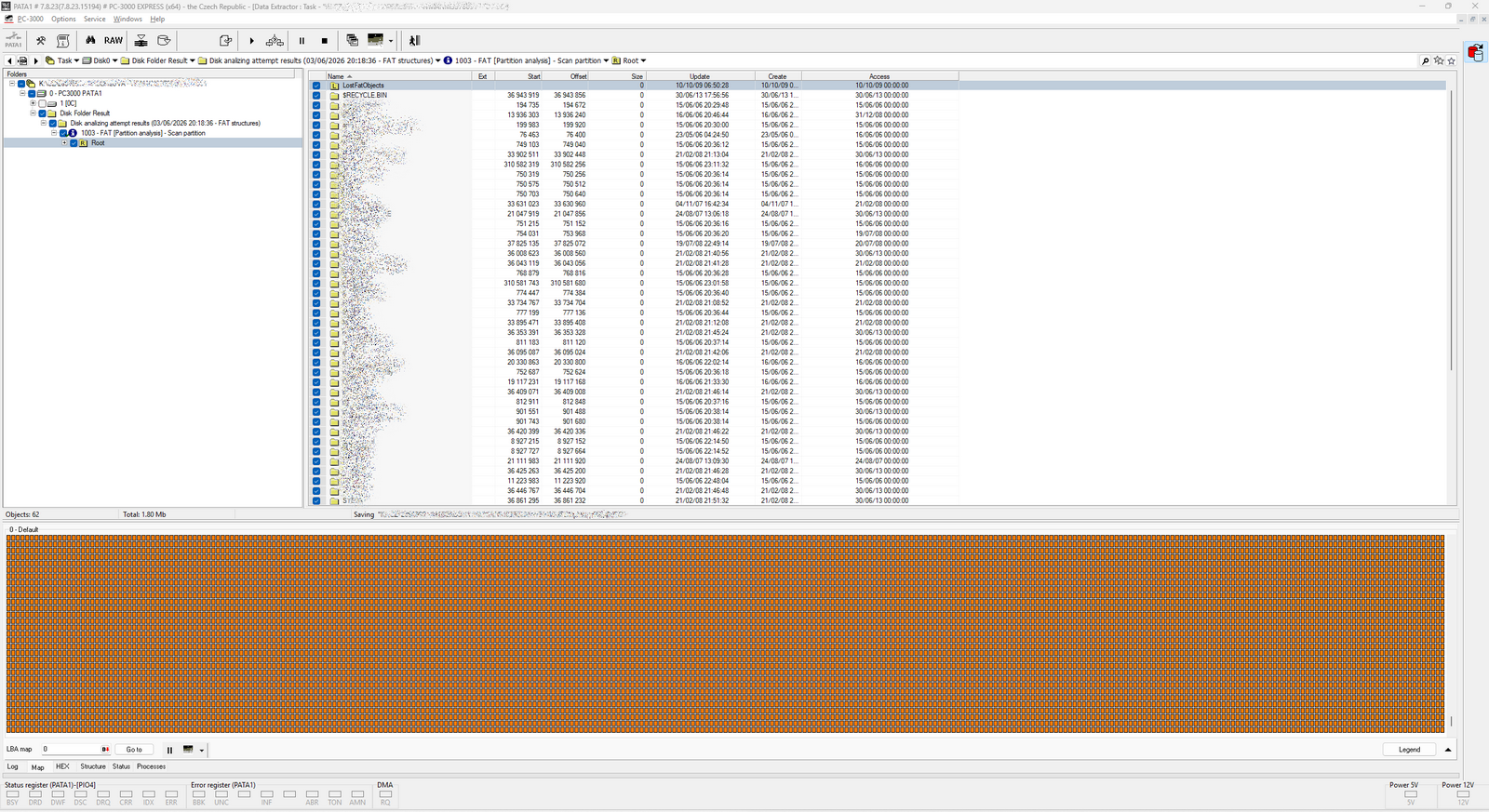
From the WD1600JB, 36,135 of the total 36,138 files—148 GB of data in 3,662 folders—were recovered completely error-free. Three files totaling 2.5 MB remained problematic. The client got back a practically complete archive of photos, videos, and documents that in 2026 existed only on this single drive.
Several practical lessons follow. An older external drive that is the only copy of your data should be backed up before it stops cooperating. If a drive does not initialize when connected, repeatedly powering it on and off serves no purpose—each start does a weakened drive more harm than good. And if you are considering a do-it-yourself swap of the electronics or the ROM chip itself: a plain PCB swap or reflashing the chip rarely gets you anywhere, because the ROM holds data unique to that specific drive. **Do not reconnect the drive**—have it assessed instead. Initial diagnostics and pickup within the Czech Republic are free of charge.
[](https://www.exalab.cz/images/blog/EN2606051-vysledek-obnovy-dat-fw.png)
**Medium:** External 3.5" WD drive (internal WD Caviar SE WD1600JB, 160 GB, PATA)
**Problem:** Unreadable ROM on the drive’s electronics, drive failed to initialize; accompanied by a weakened read head
**Solution:** ROM rebuild from a compatible donor ROM of the same revision (a rebuild from the service area is not available on this family), service data backup, complete bit-level image of the drive
**Result:** 36,135 of 36,138 files (148 GB) recovered error-free, 3 problem files totaling 2.5 MB
### Need help with data recovery?
We offer a free consultation and diagnostics for hard drives, SSDs, mobile phones, RAID/NAS and other storage media.
[ Free consultation ](https://www.exalab.cz/index.php?option=com_content&view=article&id=11:kontaktujte-nas-zajistime-bezplatny-svoz-a-diagnostiku&catid=2:zachrana-dat#contactnumbers)
## Summary
An unreadable ROM on the WD1600JB closed off both the standard donor-PCB route and the newer ROM rebuild from the service area. A ROM rebuild from a compatible donor ROM of the same revision made the drive accessible, and a complete bit-level image then resolved the apparent photo corruption caused by a weakened head. Result: 36,135 of 36,138 files error-free.
#### Terms in more detail
**ROM on the drive electronics** – a small non-volatile memory on the hard drive’s circuit board (PCB). It holds the microcode and service data unique to the unit, including calibration and adaptive parameters and the read-head configuration. The drive boots from it and only then reaches the remaining service data on the platters.
**Service Area** – a reserved region on the platters where the manufacturer stores the internal information the drive needs to operate: calibration values, defect lists, head configuration, and other service modules. It is not normally accessible to the user.
**Translator** – the mapping mechanism that converts logical sector addresses to their actual physical locations on the platters, including the routing around defective sectors. If it is damaged, the drive returns data from the wrong places regardless of the read method.
Details By Frantisek Fridrich Frantisek Fridrich Parent Category: [Blog](https://www.exalab.cz/en/blog) [From Practice](https://www.exalab.cz/en/blog/from-practice)