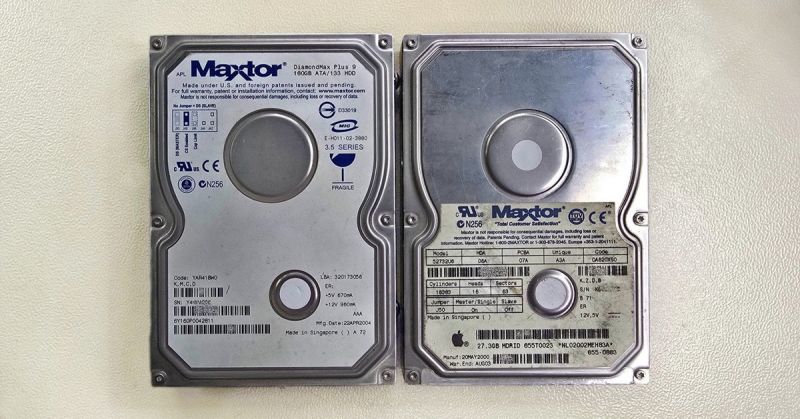
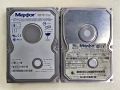
Both drives came from Apple computers. The larger one, a Maxtor DiamondMax Plus 9 with a capacity of 160 GB manufactured in April 2004, served as a system drive running Mac OS X. The smaller one, a 27 GB Maxtor 52732U6 from May 2000, is even older – its label bears the Apple logo and an original Apple part number, meaning it was an OEM drive supplied by Apple directly into their computers. It ran Mac OS 9 and, judging by the installed Avid software, was used for professional video editing. Two drives, two generations of Macs, one dead interface. And as it turned out, the older of the two had another surprise in store.
The ATA/PATA Era – How It Used to Work
There is still a fair amount of terminological confusion surrounding this interface. It was originally called simply ATA, short for AT Attachment, named after the IBM PC/AT computers it was designed for in the mid-1980s. Most people, however, knew it as IDE – a name that stuck as a synonym. When the new serial interface SATA appeared at the turn of the millennium, the old standard needed a distinguishing label – and so the retronym PATA, or Parallel ATA, was born. All three names essentially refer to the same thing.
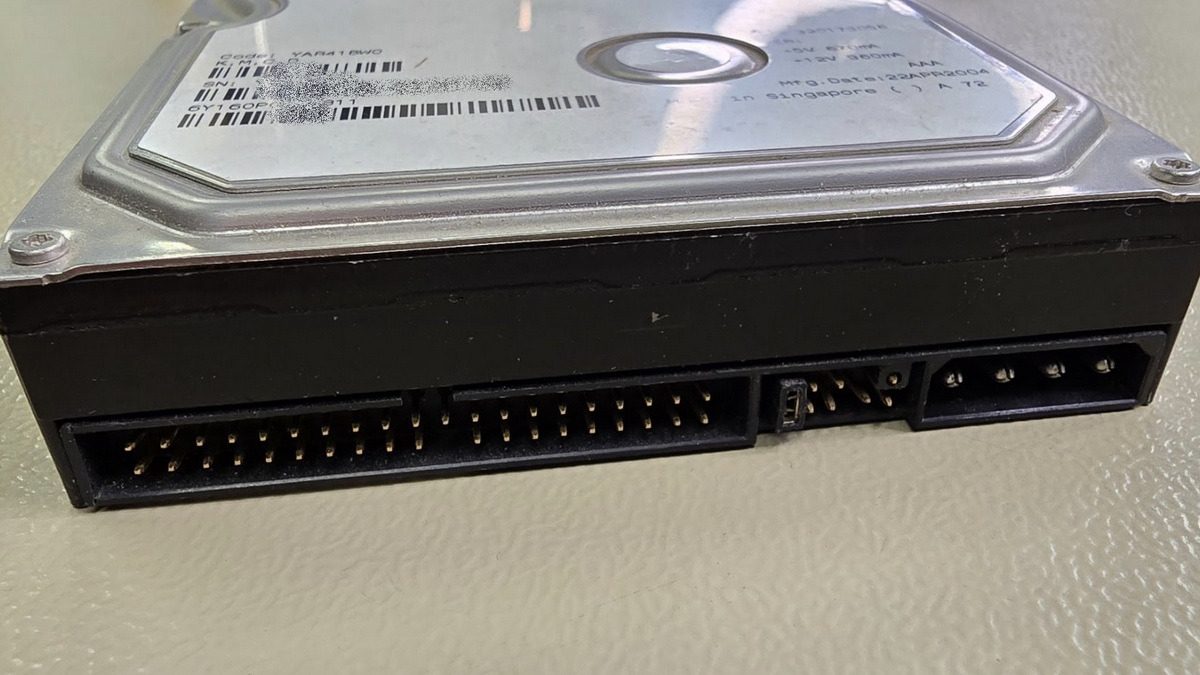
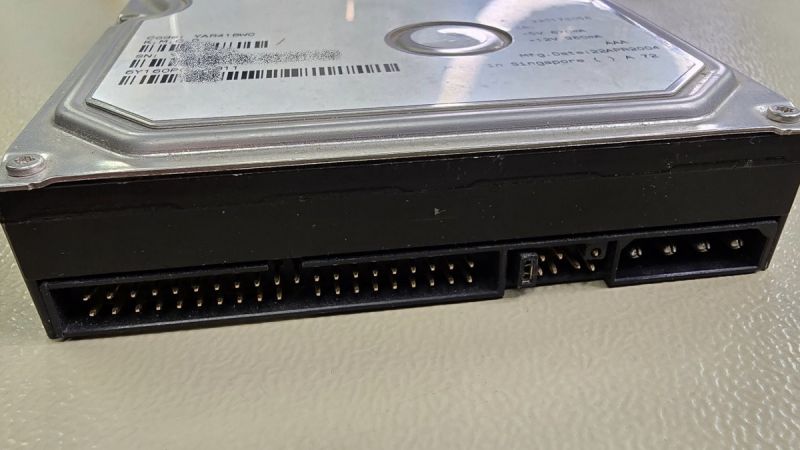
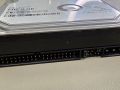
Spotting a PATA drive is easy. The characteristic wide 40-pin connector attached via a flat ribbon cable with either 40 or, in later versions, 80 wires. The maximum permitted cable length was a mere 46 centimetres, which in practice meant the drive had to sit close to the motherboard. Two devices could share a single cable – and that's where a discipline entirely unknown to today's users came in: setting jumpers.
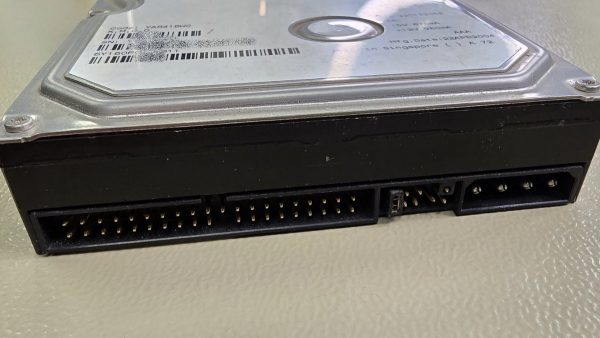
Široký 40pinový PATA konektor a čtyřpinový Molex – rozhraní, které z dnešních počítačů úplně zmizelo. / The wide 40-pin PATA connector and four-pin Molex power – an interface that has completely vanished from today's
Every drive or optical unit connected to a PATA cable had to have its jumper correctly set to Master or Slave. Master was the primary device, Slave the secondary. The motherboard typically offered two channels – Primary and Secondary – allowing a maximum of four IDE devices in total. If a user forgot to move a jumper or set both drives to Master, the computer simply wouldn't see them. There was also a Cable Select option, where the cable itself determined the role, but even that didn't always work reliably. Compared to today's SATA, where you just plug in a cable and you're done, it was a very different world.
Limits and Milestones
The ATA interface went through numerous revisions over its lifetime, each pushing transfer speeds and maximum supported drive capacity further. Capacity limits were one of the biggest practical headaches. The original 28-bit LBA addressing allowed access to a maximum of 137 GB of data. Our smaller 27 GB Maxtor fell well within this limit – a typical representative of the era around the year 2000. The larger 160 GB model, however, exceeded that boundary, meaning it had to use 48-bit LBA introduced in the ATA-6 specification. Without 48-bit addressing support in both the BIOS and the operating system, the drive would report only 137 GB.
Transfer speeds gradually increased from ATA-33 through ATA-66 and ATA-100 up to ATA-133. The last figure is an interesting one – Maxtor was the main driving force behind Ultra DMA Mode 6 with a theoretical speed of 133 MB/s. Samsung also adopted it in their SpinPoint drives, but most other manufacturers, including Western Digital and Seagate, skipped this step and moved straight to SATA. Intel, moreover, refused to integrate ATA-133 into its chipsets, so users needed an add-on controller. For comparison: today's SATA III offers a theoretical 600 MB/s, and NVMe drives operate in the range of several GB/s.
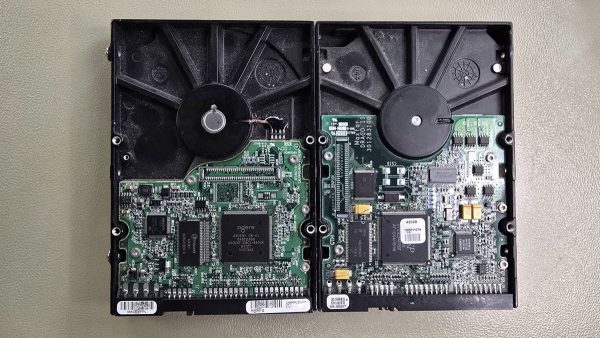
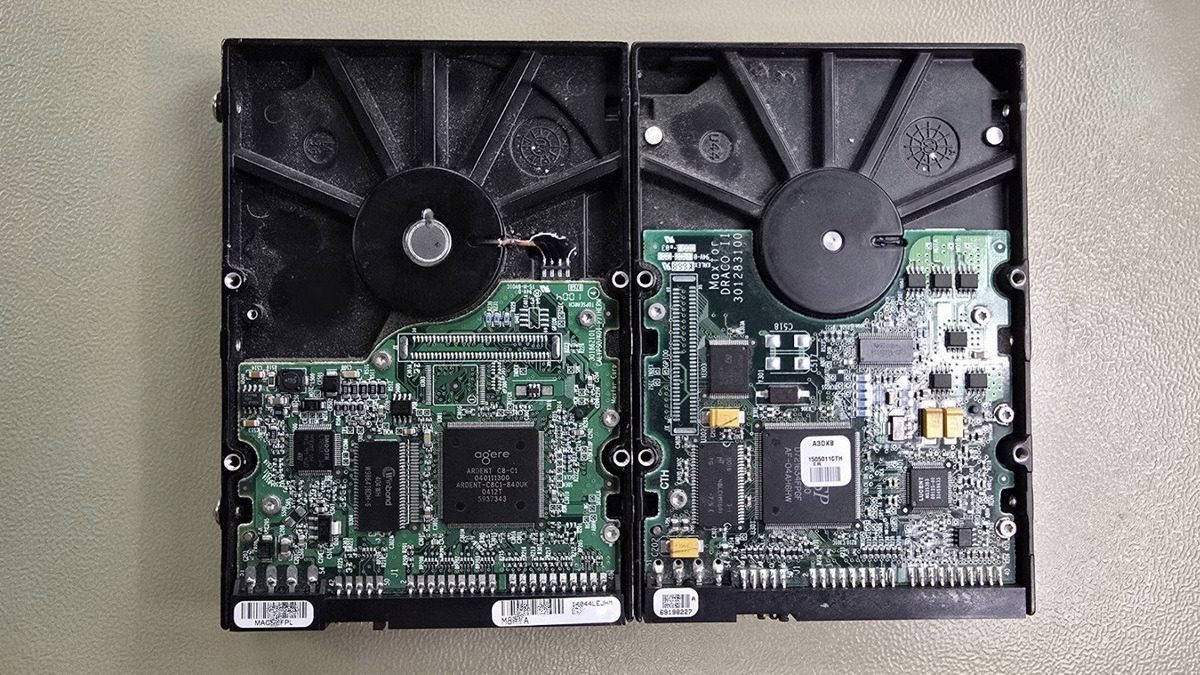
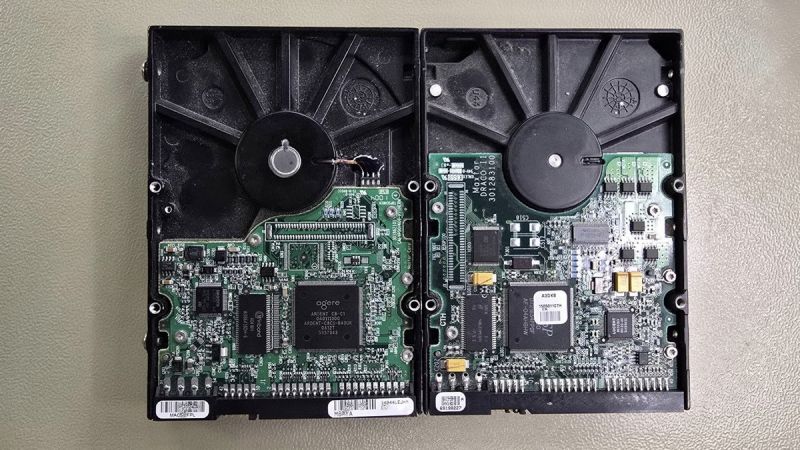
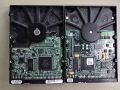
Elektronika (PCB) obou Maxtorů – čtyři roky vývoje na jednom snímku. / Circuit boards (PCBs) of both Maxtor drives – four years of evolution in a single frame.
What It Cost Back Then
To appreciate what an investment a new drive was at the time, it's worth looking at period pricing. Around the year 2000, drives with a 4 GB capacity sold for roughly 4,000 CZK, a 13 GB drive for about 5,000 CZK. Our 27 GB Maxtor could have cost an estimated 5,000 to 7,000 CZK at the time of purchase. With the average gross monthly salary in the Czech Republic at 13,219 CZK in 2000, that represented a third to a half of a paycheck – for a single drive.
Four years later, the situation had changed dramatically. Wholesale prices for 160 GB drives hovered around 1,500 CZK excluding VAT, with retail prices estimated at 2,500 to 3,500 CZK including tax. The average salary had meanwhile risen to 18,035 CZK, making the drive roughly a fifth of a monthly wage. The cost per gigabyte dropped from approximately 250 CZK in 2000 to about 20 CZK in 2004.
And today? A four-terabyte drive costs under 3,000 CZK – about 5% of the average salary, which is approaching 50,000 CZK. Its capacity is twenty-five times greater than the larger of our two Maxtors. The cost per gigabyte is now measured in fractions of a Czech crown.
Drives from Macs – Apple and the ATA Era
What makes this case a bit more interesting is the fact that both drives came from Apple computers. The older 27 GB drive with the HFS+ file system contains a complete Mac OS 9 installation, and among the installed applications we find Avid – professional video and audio editing software. Also present are Microsoft Office 2001 for Mac and DigiTranslator for working with audio formats. This computer was clearly built for work, not play.
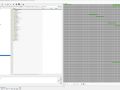
The newer 160 GB drive runs Mac OS X with a typical Unix-based directory structure and user folders such as Documents, Movies, Music, and Pictures. The most recent data on it dates from November 2010. Apple used PATA drives in desktops such as the Power Mac G4, iMac G4, and eMac. The Power Mac G5, introduced in 2003, had already switched to SATA – retaining a PATA connector only for optical drives. Our 160 GB Maxtor therefore most likely came from one of the last G4 models, which were still being sold in the first half of 2004.
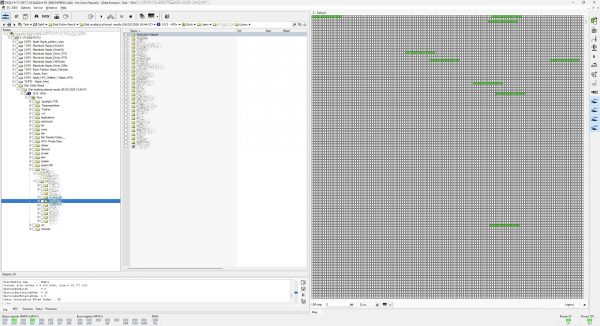
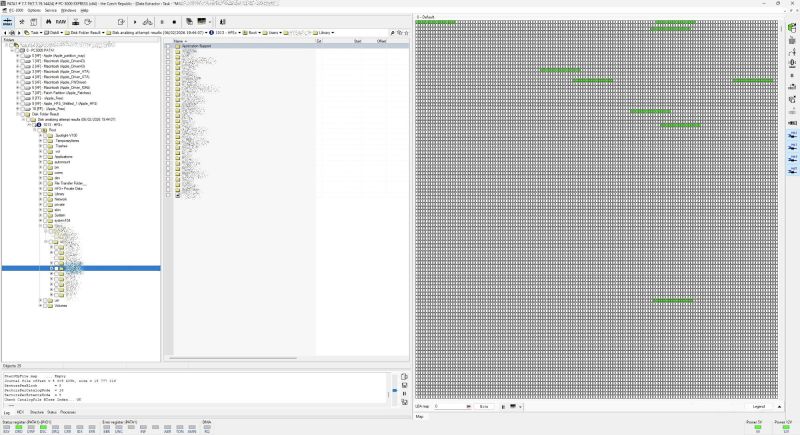
Adresářová struktura Mac OS X na disku 160 GB – souborový systém HFS+ s uživatelskými složkami. / Mac OS X directory structure on the 160 GB drive – the HFS+ file system with user folders.
The HFS+ file system adds yet another dimension to the case. Even if the client managed to find a USB adapter with a PATA connector, Windows cannot natively read this file system – and would offer to format the drive, irreversibly erasing all data. Modern macOS can still read and write HFS+, but finding a PATA adapter for a Mac is even harder today than for a PC. This creates a double barrier: hardware with no matching connector, and a file system that a standard Windows PC cannot handle.
The Transition to SATA and the End of PATA
The SATA standard appeared in 2003, bringing a host of practical improvements: a thin cable instead of a wide flat ribbon, no jumpers, hot-plug support for swapping drives on the fly, and simpler connections. During the transitional period, motherboards offered both types of connectors, but around 2008 PATA began to disappear from new computers. From roughly 2010 onwards, it has been virtually impossible to buy a new motherboard with a PATA connector.
The transition was gradual and painless – SATA drives were backwards compatible in terms of size and mounting, just with a different connector. Most users didn't even notice the change, as it happened when they bought a new computer. But the old drives stayed in drawers.
What to Do When You Find an Old PATA Drive
USB-to-PATA adapters are available on the market and look like a simple solution. For a functional drive with a standard file system, they may work, but their quality varies. Cheap adapters tend to have timeout issues, and for drives larger than 137 GB, 48-bit LBA support may not work correctly. For a drive showing any signs of mechanical problems – clicking, failure to spin up, repeated restarts – an adapter is a poor choice, as it cannot manage communication with a damaged drive.
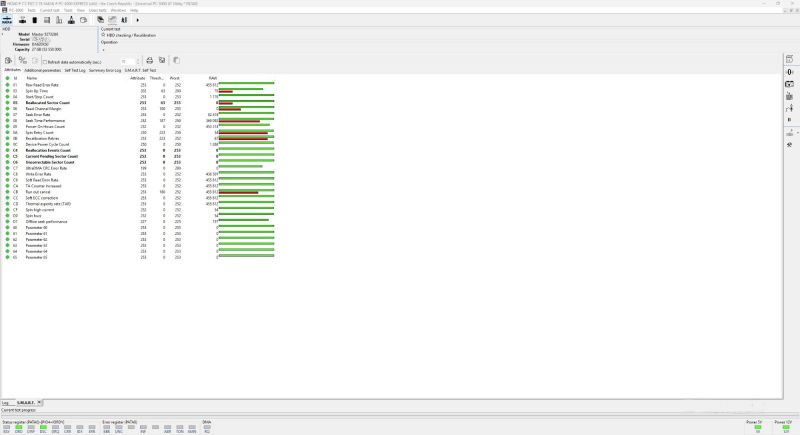
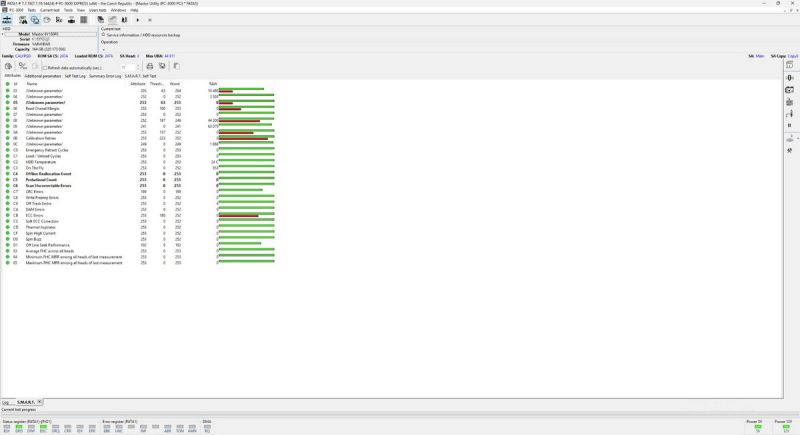
Professional tools such as the PC-3000 Express by ACELab offer full PATA support including specialised diagnostic modes. This is exactly the tool we used to connect both Maxtors, run SMART diagnostics, back up service area data, and create binary copies. Data Extractor, which is part of the PC-3000 suite, handles HFS+ and other non-standard file systems with ease.
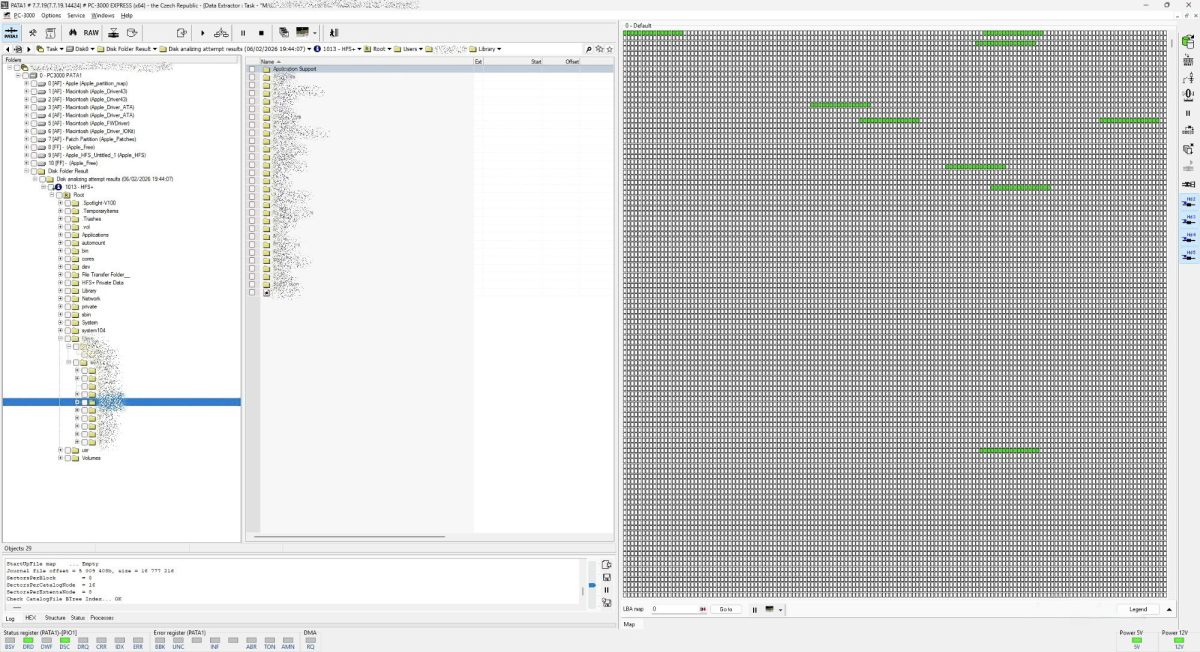
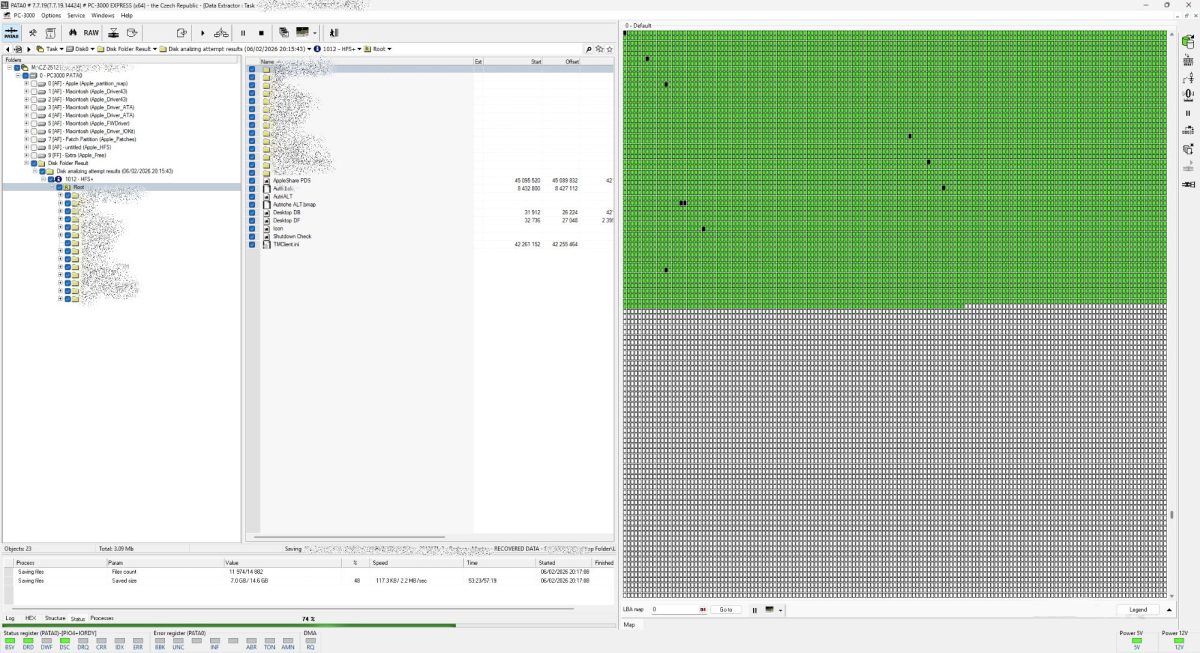
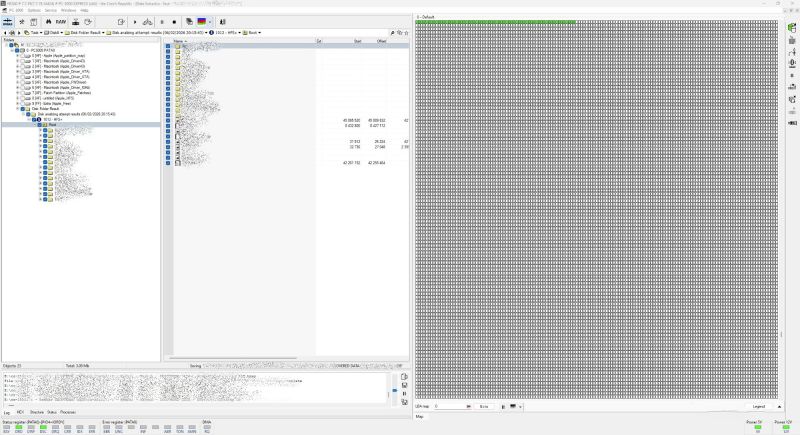
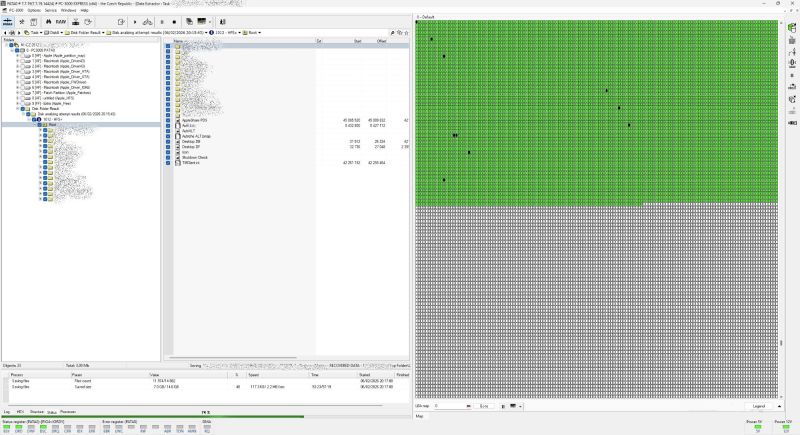
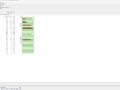
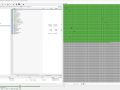
The newer 160 GB drive was in good condition – clean SMART values, no reallocated sectors, data read without issues. The older 27 GB Maxtor, however, showed its age. Scattered bad sectors appeared on the LBA map, preventing some data from being read. For a drive over twenty-five years old, this is to be expected – years of use followed by prolonged inactivity take their toll. Most files were nevertheless successfully extracted.
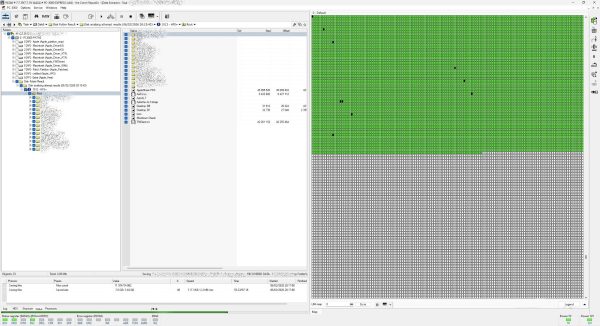
LBA mapa 27GB Maxtoru – rozptýlené vadné sektory po pětadvaceti letech provozu a nečinnosti. / LBA map of the 27 GB Maxtor – scattered bad sectors after twenty-five years of use and inactivity.
Media: Maxtor DiamondMax Plus 9 (6V160P0), 160 GB / Maxtor 52732U6, 27 GB
Interface: ATA/PATA (Parallel ATA)
File system: HFS+ (Apple)
Problem: Client has no way to connect the drives to a modern computer
Solution: Connection via PC-3000 Express (PATA), diagnostics, SA backup, binary imaging, data extraction
Result: 160 GB drive – 100% of data recovered. 27 GB drive – majority of data recovered, some files damaged by bad sectors.
Not every data recovery case involves repairing damaged heads or salvaging a failed RAID array. Sometimes the problem is simpler yet surprisingly difficult – old technology that quietly retired, taking access to the data stored on it. One of the drives also revealed that after twenty-five years of use and inactivity, the platter surfaces already bear signs of wear that will only deepen with further time. If you find an old drive with a wide connector at home, don't put it off. The longer it sits in a drawer, the harder it may be to get the data out.
Technical Terms Explained
ATA / PATA / IDE – All three designations refer to the parallel interface used for connecting hard drives and optical drives from the mid-1980s until approximately 2010. ATA is the official standard name, IDE comes from the technical description (Integrated Drive Electronics), and PATA is a retronym created to distinguish it from the newer SATA.
48-bit LBA – An extension of the addressing scheme that removed the 137 GB capacity limit on older ATA drives. Introduced in the ATA-6 specification around 2002. It required support in the drive itself, the computer's BIOS, and the operating system.
HFS+ – A file system developed by Apple, used on Mac computers from 1998 until approximately 2017, when it was replaced by the more modern APFS. Windows cannot read it without specialised software, which complicates access to data from old Macs even when using common adapters.
Photo Gallery: Forgotten Data on a Forgotten Interface





- Details
- By Frantisek Fridrich
- Parent Category: Blog
- Explanations and Tips