EXALAB Data Recovery
  • Home
  • Data recovery
    • HDD
    • SSD
    • Apple
    • RAID
    • NAS
    • USB drives
    • SD cards
    • Smartphones
  • First Aid
  • Price List
  • FAQ
  • Blog
    • From Practice
    • Explanations and Tips
  • Contact
EXALAB Data Recovery
  • Home
  • Data recovery
    • HDD
    • SSD
    • RAID
    • NAS
    • Apple
    • USB drives
    • SD cards
    • Smartphones
  • First Aid
  • Price List
  • FAQ
  • Blog
    • From Practice
    • Explanations and Tips
  • Contact
English
  • Czech (Čeština)
  • English

SSD Data Recovery

Data recovery from SSD and external SSDs, including current and older models. We handle both hardware and software issues. Our experts' years of experience will resolve your data loss issue.


Consultation with a technician Consultation with a technician Free diagnostic evaluation Data recovery price list
Free diagnosticsfree consultation, diagnostics, pick-up
You pay only for successno data – no fee
Express recovery 24/7priority service available
Success rate > 95%own EXALAB laboratory

What to do if your SSD fails – first important steps

  • Stay calm.
  • Switch off the device (computer, NAS, TV, etc.) or disconnect the external SSD.
  • Do not attempt amateur data recovery and do not connect any SSD that is mechanically damaged.
  • Contact us – free consultation and diagnostics.

Content Guide - SSD Data Recovery:

  • Pricing, symptoms, causes
  • How SSDs work
  • DIY SSD Data Recovery - How to do it
  • Is it highly sensitive data? We'll sign a confidentiality agreement
  • Is your data insured? We'll issue you a certificate for the insurance company

SSD and external SSD data recovery is a relatively new and complex field. The execution of data recovery from SSDs not only requires state-of-the-art hardware and software but also continual awareness of technology advancements, years of daily experience, and an undying interest in advancing in this field. SSDs and other flash media are gradually replacing older technologies (HDDs), and it's essential to keep pace with technological advancements in the field of data recovery and restoration.

Rough Price List, Symptoms, Causes, and Procedures According to SSD Damage Type

  • Data is Unreachable, and I Have No Clue Why
  • SSD Failure, Computer (Device) Won't Boot
  • Deleted Data, Data Recovery After Formatting
  • External SSD Is Unavailable
  • Mechanical Damage, Overvoltage, Short Circuit
  • Data Is Encrypted, Password Lost
  • Other Issues with SSD

Can't Access My Data and Have No Idea Why

For such an uncertain failure, where the issue might be with the SSD or with the computer (device) itself, it's best to take advantage of our free consultation and diagnostic. Do not hesitate to contact us.

Rough price: starting from 1,500 CZK
More Information
Free Diagnostic

SSD Failure, Computer (Device) Won't Boot

An SSD fault can cause a total collapse of the computer (device). The cause could be memory chip failure, SSD controller errors, or file system failure (usually related to memory chip errors).

Rough price: 2,500 CZK - 17,000 CZK
More Information
Free Diagnostic

Deleted Data, Data Recovery After Formatting

If you have deleted data from the SSD or formatted it, turn off the SSD or the entire computer (device) before proceeding!

Deleted data from the current SSD or data recovery after formatting the SSD can be a significant issue. If you've deleted the data, the best advice is to immediately turn off the computer (device) and utilize our free consultation and diagnostics.

SSDs behave quite differently from older hard drives (HDDs), and it's not true anymore that deleted data is stored until overwritten. In many cases, the SSD itself and the operating system will take care of overwriting... and do so quite quickly.

This may not apply to external SSDs, older operating systems, and older SSDs (manufactured around 2009 or earlier). There may still be a chance of recovery, but the correct user action plays a significant role.

Estimated price: 1,500 CZK - 4,500 CZK
More Information
Free diagnostics

External SSD Not Accessible

External SSDs typically connect via USB, and their inaccessibility could be due to various factors. As a first step, try connecting the external SSD to another computer. If the SSD still behaves the same, utilize our free diagnostics to better determine the cause and possible solutions.

Estimated price: 1,500 CZK - 17,000 CZK
More Information about Possible Causes of SSD Inaccessibility
Free diagnostics

Mechanical Damage, Short Circuit, Overvoltage

SSDs do not contain any moving parts and are therefore resistant to shocks and falls during normal use. However, if an accident occurs in which the SSD is mechanically damaged, cracked, or bent, it's important not to turn on the SSD.

Due to electronic failure, moisture, incorrect wiring, faulty power supply, etc., a short circuit or overvoltage can occur and damage the SSD. In this case, it's better not to turn on the SSD. Use our free diagnostics and pickup.

Estimated cost: 2,500 CZK - 17,000 CZK
More information
Free diagnostics

Data is Encrypted, Loss of Password

Bitlocker (Windows), Filevault (macOS), LUKS (Linux)... secure data on SSDs with strong encryption. Losing the password can be a problem, but this eventuality is considered when activating encryption, and the authorized user should have an alternative method available.

Computers today are commonly equipped with a cryptographic processor (T2, TPM), which should eliminate potential security breaches and encrypts data on the SSD in conjunction with the above-mentioned programs. That is, if this function is enabled. In combination with the aforementioned software, it provides very strong data protection, and a hardware failure can make the SSD data inaccessible.

Do you have a problem with SSD and data encryption? Don't hesitate to contact us.

Estimated cost: from 1,500 CZK
More information
Free diagnostics

Other Problems with SSD

If you have another issue with your SSD, take advantage of our free consultation and diagnostics.

Free consultation and diagnostics

Principle of SSD Functioning

SSDs are not a new invention; the first commercial products date back to 1991 (or 1978, but those were different technologies). However, it is only since around 2010 that we have begun to encounter them in everyday life. Nowadays, almost every new personal computer is equipped with an SSD, at least as a system disk. Data is stored in NAND flash memory instead of the magnetic layer in hard disks (HDD).

  • SATA SSD, paměťové čipy, mechanický pevný disk (HDD), NVMe SSD

    SATA SSD, paměťové čipy, mechanický pevný disk (HDD), NVMe SSD - záchrana dat
    SATA SSD, paměťové čipy, mechanický pevný disk (HDD), NVMe SSD - záchrana dat
  • SATA SSD, paměťové čipy, mechanický pevný disk (HDD), NVMe SSD - záchrana dat
    • SATA SSD, paměťové čipy, mechanický pevný disk (HDD), NVMe SSD - záchrana dat

    SSDs are most commonly in the form of 2.5" disks (replacing the mechanical hard disk) or in m.2 design for older mSATA interfaces or newer and significantly faster NVMe. These modern disks are often the size of a memory card or flash drive and have sufficient capacity for the average user.

    • SATA SSD, m.2 SATA a NVMe SSD, mSATA SSD - záchrana dat

      SATA SSD, m.2 SATA a NVMe SSD, mSATA SSD - záchrana dat
      SATA SSD, m.2 SATA a NVMe SSD, mSATA SSD - záchrana dat
    • SSD Kingston ssdNOW 300, 120GB - záchrana dat

      SSD Kingston ssdNOW 300, 120GB - záchrana dat
      SSD Kingston ssdNOW 300, 120GB - záchrana dat
    • M.2 SATA SSD Kingston, 128GB, řadič Phison PS3108 - záchrana dat

      M.2 SATA SSD Kingston, 128GB, řadič Phison PS3108 - záchrana dat
      M.2 SATA SSD Kingston, 128GB, řadič Phison PS3108 - záchrana dat
    • SATA SSD, m.2 SATA a NVMe SSD, mSATA SSD - záchrana dat
    • SSD Kingston ssdNOW 300, 120GB - záchrana dat
    • M.2 SATA SSD Kingston, 128GB, řadič Phison PS3108 - záchrana dat
      • SATA SSD, m.2 SATA a NVMe SSD, mSATA SSD - záchrana dat
      • SSD Kingston ssdNOW 300, 120GB - záchrana dat
      • M.2 SATA SSD Kingston, 128GB, řadič Phison PS3108 - záchrana dat

      Simply put, an SSD consists of a controller and NAND memory. NAND memory usually includes 2 or more chips on an SSD. Data is distributed across all chips. This allows for greater capacity and read/write speeds. The data stored here includes both user data and service data, which are essential for the SSD to function.

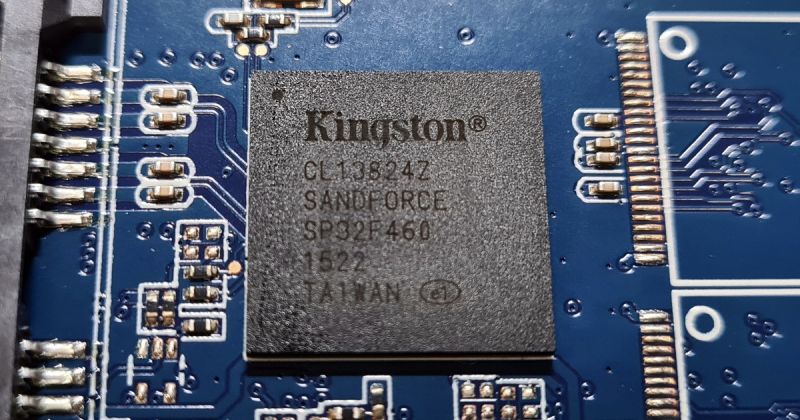
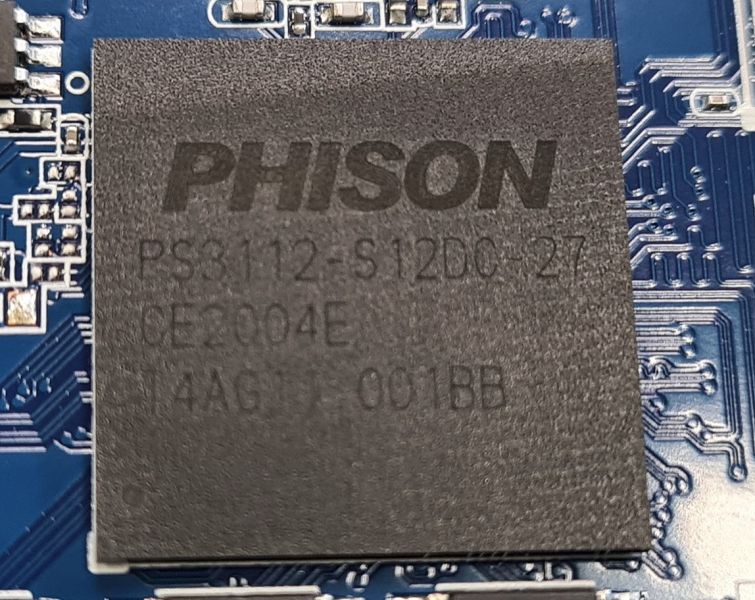
      Disk controller is responsible for the disk's communication with the computer (device), data distribution across memory chips, resolving internal SSD errors, optimization, and also internal encryption, deletion, etc. Functions like TRIM, Wear Leveling, Overprovisioning serve to optimize speed and longevity of the medium but also affect data recovery possibilities.

      • Řadič Sandforce je v případě poruchy leckdy neřešitelný problém

        Řadič Sandforce je v případě poruchy leckdy neřešitelný problém
        Řadič Sandforce je v případě poruchy leckdy neřešitelný problém
      • Řadič Phison PS3112 - Záchrana dat z SSD

        Řadič Phison PS3112 - Záchrana dat z SSD
        Řadič Phison PS3112 - Záchrana dat z SSD
      • Řadič Silicon Motion SM2259XT - záchrana dat

        Řadič Silicon Motion SM2259XT - záchrana dat
        Řadič Silicon Motion SM2259XT - záchrana dat
      • Řadič Sandforce je v případě poruchy leckdy neřešitelný problém
      • Řadič Phison PS3112 - Záchrana dat z SSD
      • Řadič Silicon Motion SM2259XT - záchrana dat
        • Řadič Sandforce je v případě poruchy leckdy neřešitelný problém
        • Řadič Phison PS3112 - Záchrana dat z SSD
        • Řadič Silicon Motion SM2259XT - záchrana dat

        The possibilities for data recovery from SSDs are most influenced by the quality of the memory chips, their construction, the controller and its potential failures, and the related internal encryption and TRIM function.

        • SSD Controller and its impact on data recovery in case of failure
        • Memory chips, the impact of their construction and quality on SSD function
        • Internal encryption serves not only for security but also for deletion
        • TRIM function and its impact on the possibilities of recovering deleted data

        Data on SSD is unavailable for an unknown reason, the cause is not immediately apparent

        The error in the SSD can be at multiple levels, but sometimes the problem may not relate to the SSD itself. The computer either won't start at all, or an error message appears after startup. When an external SSD is connected, the disk registers in the system, but the data is not accessible. There are numerous scenarios, and the issue may not necessarily lie in the SSD itself.

        Take advantage of our free diagnostics and consultation options.
        Price List

        SSD failed, device (computer, NAS…) won't boot

        Unlike hard disks (HDD), SSDs have no moving parts. Data is stored on NAND flash memory chips, also found in mobile phones, memory cards, and flash drives. Learn more about the principles of SSD operation here.

        If the SSD stops registering in the system, and is not even recognized by the computer's BIOS, then it is likely a controller or firmware issue. This is a serious problem requiring specialized hardware, software, and a knowledge of the correct procedures. In simplified terms, you'll need to upload service data into the SSD's RAM to enable subsequent reconstruction of important modules and SSD initialization. This process can be further complicated by the faulty nature of the memory chips. More about the faultiness of memory chips here.

        SSD may also identify correctly in the computer (device), but the operating system won't boot, the device won't turn on, or it might try to turn on but will restart or terminate the process with an error. The cause may then be failing memory chips. NAND memory has physical properties that account for a certain number of write and erase cycles, after which the memory will start to fault, or reach the end of its life span. And because this is consumer electronics, not all memory chips will reach the expected number of cycles and may fault earlier. The problem is then similar to when hard disks (HDD) begin to develop bad sectors due to a failing data platter surface (or read heads). The result can be similar.

        For a more precise diagnosis, take advantage of our free diagnostics or consultation
        Price List

        Recovery of Deleted Data from SSD, Data Recovery after Formatting

        If you have deleted data from your SSD or formatted it, turn off the SSD or the entire computer (device) before you continue reading!

        Current SSDs use NAND-type flash memories as storage, which have many advantages but also disadvantages. One disadvantage is the actual way data is deleted. NAND memories can swiftly write data to memory cells. However, unlike hard disks, which many users are familiar with, NAND memories do not allow for direct data rewriting. Therefore, the rule known for hard disks that data remains on the disk until rewritten would actually slow down SSD and therefore the operating system (OS). Hence, the TRIM function was added to SSDs and supported by operating systems like Windows, macOS, Linux, and others. Each flash-based storage medium has its own controller that internally handles its function. The SSD controller is responsible for executing the TRIM function.

        So how does data deletion work on an SSD? The user (or OS) issues a command to delete data. The OS marks the cells as empty, but the SSD controller still considers the space as occupied. If the OS (user) were to write additional data at that moment, the controller would direct the data to another part of the SSD (NAND memory). When the SSD has nothing else to do, the OS instructs the controller to use the TRIM function, which will erase the memory cells affected by the recent data deletion. At this point, the data is permanently deleted and irrecoverable. Additional features also interfere with the process, but they are not relevant to the explanation of how data is deleted from SSDs (NAND memories).

        TRIM functionality and its OS support may not be as treacherous on older OS and SSDs. It is also not supported on some external SSDs. There is still a chance that your OS does not have the TRIM function or has not yet applied it to your SSD. Take advantage of our free diagnosis and problem consultation!

        Formatting and secure data deletion from SSD is handled similarly to data deletion, and in some cases even more thoroughly. After formatting, the disk space is freed up from the OS perspective and then handled by the aforementioned TRIM function. Secure SSD deletion is not advisable by overwriting due to a limited number of write and erase cycles. Because all current SSDs use internal data encryption, secure data deletion is accomplished by changing the key in the SSD controller.

        Consultation, Diagnosis, Pickup
        Price List for Recovering Deleted Data from SSD

        External SSD Not Accessible After Connection

        An external SSD may become inaccessible due to software defects or file system incompatibility. It could also fail due to memory chip errors, a controller failure, firmware issues, or even a problem with the USB converter, damaged connectors, or other mechanical damage.

        Software defects could manifest as the SSD connecting to the computer (device) correctly, showing its label and capacity, but the data being inaccessible. You can attempt data recovery on your own. We provide advice on which software to choose, what to avoid, and when to consult experts here.

        File system incompatibility can also result in data inaccessibility. For instance, if the external SSD has been used with Apple's macOS, it might not work properly with Windows, and vice versa. If this is a potential cause, try the disk on a computer (device) with which it previously worked. Software can also assist in data recovery in such cases. Guidelines on how to go about it and what to avoid can be found here.

        Memory chip failures and associated SSD controller issues are further described here.

        USB Converter could be either integrated into the external SSD's electronics or be separate. Issues with USB drive inaccessibility (not just SSD) sometimes occur due to a broken connector or damaged disk electronics near the USB connector. The USB converter itself could also fail.

        • SSD Transcend s integorvaným USB převodníkem - obnova dat

          SSD Transcend s integorvaným USB převodníkem - obnova dat
          SSD Transcend s integorvaným USB převodníkem - obnova dat
        • SSD Transcend s integorvaným USB převodníkem - obnova dat

          SSD Transcend s integorvaným USB převodníkem - obnova dat
          SSD Transcend s integorvaným USB převodníkem - obnova dat
        • SSD Transcend s integorvaným USB převodníkem - obnova dat
        • SSD Transcend s integorvaným USB převodníkem - obnova dat
          • SSD Transcend s integorvaným USB převodníkem - obnova dat
          • SSD Transcend s integorvaným USB převodníkem - obnova dat

          Connecting USB Cable can also be the cause of a non-functional external SSD. If it's detachable, try using a different one.

          Consultation, Diagnosis, Pickup
          Data Recovery Pricing for External SSDs

          Mechanical Damage to SSD, Short-circuit, Surge...

          Mechanically Damaged SSD is similar to a mechanically damaged mobile phone, for example. The SSD contains several essential components that cannot be replaced. Data is stored in memory chips, and the SSD's controller ensures its proper functioning. These components must not be destroyed. A cracked memory chip usually means the end for it. There are typically multiple memory chips on an SSD, and data is distributed across all chips. They function similarly to a RAID array.

          Another essential component of the SSD is its controller, which primarily holds the key to the data. All current SSDs encrypt data internally, and without the key stored in the controller, data from the memory chips is unrecoverable.

          Although rare, we also encounter SSDs damaged by short-circuits or surges. The same rules apply as with mechanical damage; functional memory chips and a controller are essential for data recovery. Such a problem could occur due to excessive moisture, a foreign object in the SSD's electronics, or incorrect handling of the computer's power supply, among other things.

          In case of mechanical damage, short-circuits, or similar serious SSD damages, we strongly recommend not to continue using the SSD and to avoid any unprofessional attempts to recover data.

          Consultation, Diagnosis, Pickup
          Price List for Recovery of Mechanically Damaged SSDs

          Data on SSDs are Encrypted, Loss of Password

          User-enabled Encryption is usually integrated into Windows through Bitlocker, while Apple offers Filevault in its OS, and Linux uses the LUKS tool. Previously (before Bitlocker's integration into Windows), Truecrypt was a popular encryption tool, and we can also encounter PGP, Tomb, Veracrypt, among others.

          Common to all current encryption tools is a very strong data encryption method. AES (Advanced Encryption Standard) using a 128 or 256-bit key is considered unbreakable and is elevated to XTS-AES in the latest tools, combining a 256 and a 128-bit key, i.e., using a 384-bit key. Such a complex cipher is currently considered completely unbreakable.

          Loss of Password does not necessarily mean data loss. During encryption activation, the user is prompted to securely store a recovery key, which serves as a backup method in case of password loss.

          Data on the SSD may be encrypted by the computer itself without the user's knowledge. Current computers are equipped with a TPM (Windows, Linux) or T2 (Apple) cryptographic processor. The cryptographic processor takes care of the computer's integrity, checks the combination of hardware and software at startup to see if it's trustworthy, and thus protects the user, their data, and also the copyright-protected content of third parties (movies, music, computer games...). The user may have encryption enabled by the cryptographic processor in combination with (most commonly) Bitlocker or Filevault and may not know it (although they should). The problem may arise in the case of computer failure, when the key stored in the cryptographic processor will be inaccessible, and so will the data on the SSD.

          SED, or Self Encrypted Drive, is hardware data encryption directly at the SSD level. Data is encrypted from the first use of the SSD, and encryption occurs between the controller and the SSD's memory chips. SSDs use this function, among other things, to optimize their operation and lifespan. The user then activates data encryption with a user password using one of the above-mentioned software, which protects the key in the SSD's controller with its key.

          SED, T2, or TPM and software encryption work side by side to ensure the user's data security, but in the case of unexpected failure and data inaccessibility, they may be an obstacle to their recovery or rescue.

          Consultation, Diagnosis, Pickup
          Price List for Recovery of Encrypted SSDs

          Data Recovery from SSD That You Can Attempt Yourself

          Online, you'll find various methods, tips, recommendations, and software. Often, these are opinions from laymen or general advice for data storage media. These tips are more useful for recovering data from hard drives (HDDs), flash drives, and memory cards. Even there, well-known rules and advice may no longer apply.

          The first important tip in case of data deletion or formatting of an SSD is to immediately turn off the SSD or the entire computer (device). After data deletion or quick formatting, the TRIM function is very likely to activate and permanently remove your data. With a bit of luck and speed, you can avoid this by turning off the SSD immediately. For this problem, it's best to consult with experts. You can take advantage of our free diagnosis and consultation. Find out more about the TRIM function here.

          Recognizing a failing SSD gradually departing to the silicon heaven is sometimes possible. Your computer or device may start to show errors, or diagnostic software may warn of excessive error rates and recommend backing up data and replacing the SSD. If such an event happens, immediately back up important data. Waiting and procrastination could be costly. Popular diagnostic software includes CrystalDiskInfo, which you can download here. However, assume that you're reading this text when it's already too late for preventive diagnostics.

          If the SSD failed due to a large number of faulty memory blocks, there is a way to attempt data recovery yourself. More information on this type of problem is provided here. Several factors can complicate the process. Steps and warnings are outlined below.

          If a file system failure or other software defect occurs, not deleted data or formatted SSD, where scanning the SSD is necessary, it's possible to try the same method as for the above-mentioned problem.

          File system incompatibility can cause data to be inaccessible without there being a defect. A disk used on macOS may not display on Windows or Linux and vice versa. File system incompatibility can be solved in several ways:

          • Use the computer where the data was originally stored to copy it to a disk with a compatible file system. exFAT is a file system that is compatible across all mentioned platforms.
          • Compatibility between macOS and Windows is also ensured by Paragon Software, which you can download here. A trial version is free, but continued use comes at a cost.
          • Data from such a disk can also be retrieved using some of the SSD data recovery and restoration software mentioned below.

          Before you start DIY SSD data recovery, it's good to heed some recommendations:

          • Never install data recovery software on the disk from which you need to recover data!
          • Attempt DIY data recovery only if you're sure about the process, or the data isn't indispensable.
          • Some technical skill is likely required. If it's not an external SSD with USB connection, you'll first have to remove the disk from the computer/device. This is not always easy.
          • If in doubt, contact us for consultation.

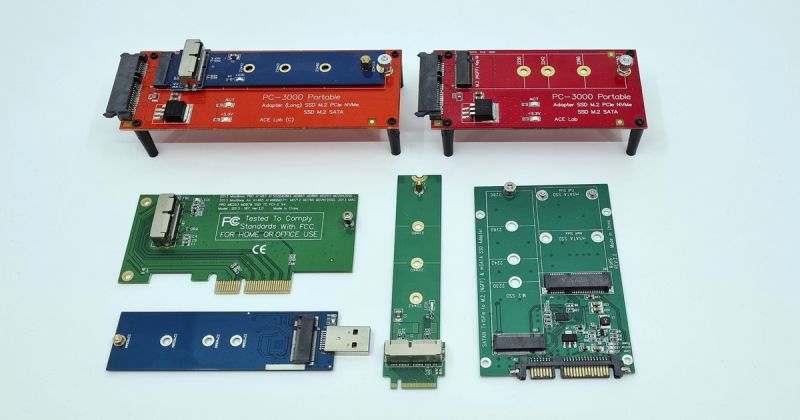
          Procure the appropriate adapter to connect the SSD to your computer. Perform this step concurrently with identifying the type of SSD used. In some cases, it may not be possible to remove the SSD from the computer/device, especially with Apple products.

          In PCs, this could be a SATA SSD, serving as a replacement for an older HDD. Alternatively, mSATA or faster NVMe SSDs in m.2 or PCIe slots may be used. Adapters for all these formats to USB are available.

          • mSATA SSD + adaptér na SATA

            mSATA SSD + adaptér na SATA
            mSATA SSD + adaptér na SATA
          • Redukce SSD - záchrana dat

            Redukce SSD - záchrana dat
            Redukce SSD - záchrana dat
          • mSATA SSD + adaptér na SATA
          • Redukce SSD - záchrana dat
            • mSATA SSD + adaptér na SATA
            • Redukce SSD - záchrana dat

            For Apple devices, complications may arise. Apple often uses unique slots and interfaces that might not even have a name. Moreover, newer devices have SSDs integrated into the motherboard, making external connections impossible. If you're unsure, take advantage of our free diagnosis.

            Next, you need to access the SSD itself. Several obstacles might hinder an average user:

            • The SSD may be hidden within the device, and even experts might find it difficult to remove. If you're unsure, consult the device's supplier, or look for guidance on YouTube.
            • As mentioned above, SSDs come in various formats—SATA, mSATA, m.2 SATA, m.2 NVMe, PCIe. You'll need a different computer with a corresponding free slot or a USB adapter.
            • If the SSD is integrated into the motherboard, an entirely different approach will be required. Contact us.
            • The computer may have an active cryptographic processor (TPM or T2), preventing access to the SSD content without the corresponding key.

            Disable TRIM in your OS if you're trying to recover deleted data. Earlier in the text we explained how and why the TRIM function works. If you connect the SSD via USB, TRIM will likely be unavailable or disabled; however, make sure to confirm this. TRIM can also be disabled within the OS itself (Windows, macOS, Linux).

            Install data recovery software. Never install it on the disk from which you're trying to recover data! Most software can be tried for free, helping you determine whether your target data is recoverable before making a purchase. You can try:

            • R-Studio - www.r-studio.com
            • UFS Explorer - www.ufsexplorer.com
            • Disk Drill - www.cleverfiles.com

            You can always take advantage of our free consultation, pickup, and diagnosis.

            Handling Sensitive Data? We Can Sign a Non-Disclosure Agreement

            Confidentiality and treating data as sensitive information are a given with us. However, if the nature of the task requires it, or you simply want to have confidentiality guaranteed contractually, do not hesitate to ask for a non-disclosure agreement.

            Is Your Data Insured? We Will Issue a Certificate for Your Insurance Company

            Is your data insured? Before confirming the order, we will prepare a "fault confirmation certificate," based on which you can have your insurance company approve the costs for data recovery, and only then confirm the order.

            • SATA SSD, paměťové čipy, mechanický pevný disk (HDD), NVMe SSD

              SATA SSD, paměťové čipy, mechanický pevný disk (HDD), NVMe SSD - záchrana dat
              SATA SSD, paměťové čipy, mechanický pevný disk (HDD), NVMe SSD - záchrana dat
            • SATA SSD, m.2 SATA a NVMe SSD, mSATA SSD - záchrana dat

              SATA SSD, m.2 SATA a NVMe SSD, mSATA SSD - záchrana dat
              SATA SSD, m.2 SATA a NVMe SSD, mSATA SSD - záchrana dat
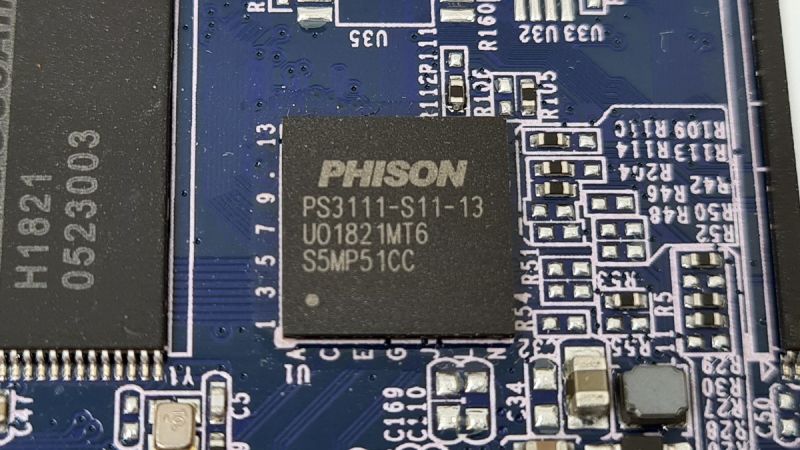
            • Řadič Phison PS3111 - záchrana dat

              Řadič Phison PS3111 - záchrana dat
              Řadič Phison PS3111 - záchrana dat
            • Řadič Marvell 88SS1074 - záchrana dat z SSD Kingston

              Řadič Marvell 88SS1074 - záchrana dat z SSD Kingston
              Řadič Marvell 88SS1074 - záchrana dat z SSD Kingston
            • Řadič Marvell 88SS1079 - záchrana dat

              Řadič Marvell 88SS1079 - záchrana dat
              Řadič Marvell 88SS1079 - záchrana dat
            • Řadič Silicon Motion SM2258XT - záchrana dat

              Řadič Silicon Motion SM2258XT - záchrana dat
              Řadič Silicon Motion SM2258XT - záchrana dat
            • Řadič SSD Silicon Motion SM2258G - záchrana dat

              Řadič SSD Silicon Motion SM2258G - záchrana dat
              Řadič SSD Silicon Motion SM2258G - záchrana dat
            • SSD Transcend s integorvaným USB převodníkem - obnova dat

              SSD Transcend s integorvaným USB převodníkem - obnova dat
              SSD Transcend s integorvaným USB převodníkem - obnova dat
            • SSD Transcend s integorvaným USB převodníkem - obnova dat

              SSD Transcend s integorvaným USB převodníkem - obnova dat
              SSD Transcend s integorvaným USB převodníkem - obnova dat
            • SATA SSD Kingston SUV500 - 960GB - záchrana dat

              SATA SSD Kingston SUV500 - 960GB - záchrana dat
              SATA SSD Kingston SUV500 - 960GB - záchrana dat
            • SSD OCZ Vertex 4 - záchrana dat

              SSD OCZ Vertex 4 - záchrana dat
              SSD OCZ Vertex 4 - záchrana dat
            • SSD OCZ Vertex 4 - záchrana dat

              SSD OCZ Vertex 4 - záchrana dat
              SSD OCZ Vertex 4 - záchrana dat
            • SSD Adata SU800 - záchrana dat

              SSD Adata SU800 - záchrana dat
              SSD Adata SU800 - záchrana dat
            • SSD Adata SU800 - záchrana dat

              SSD Adata SU800 - záchrana dat
              SSD Adata SU800 - záchrana dat
            • SSD Intel - záchrana dat

              SSD Intel - záchrana dat
              SSD Intel - záchrana dat
            • SSD Intel - záchrana dat

              SSD Intel - záchrana dat
              SSD Intel - záchrana dat
            • M.2 SATA SSD Samsung - záchrana dat z notebooku

              M.2 SATA SSD Samsung - záchrana dat z notebooku
              M.2 SATA SSD Samsung - záchrana dat z notebooku
            • mSATA SSD + adaptér na SATA

              mSATA SSD + adaptér na SATA
              mSATA SSD + adaptér na SATA
            • SSD Kingston ssdNOW 300, 120GB - záchrana dat

              SSD Kingston ssdNOW 300, 120GB - záchrana dat
              SSD Kingston ssdNOW 300, 120GB - záchrana dat
            • SSD Kingston ssdNOW 300, 120GB - záchrana dat

              SSD Kingston ssdNOW 300, 120GB - záchrana dat
              SSD Kingston ssdNOW 300, 120GB - záchrana dat
            • Řadič Sandforce je v případě poruchy leckdy neřešitelný problém

              Řadič Sandforce je v případě poruchy leckdy neřešitelný problém
              Řadič Sandforce je v případě poruchy leckdy neřešitelný problém
            • SSD Samsung EVO, CM871, 256GB - záchrana dat

              SSD Samsung EVO, CM871, 256GB - záchrana dat
              SSD Samsung EVO, CM871, 256GB - záchrana dat
            • SSD Patriot Burst 960GB, řadič Phison PS3111 - záchrana dat

              SSD Patriot Burst 960GB, řadič Phison PS3111 - záchrana dat
              SSD Patriot Burst 960GB, řadič Phison PS3111 - záchrana dat
            • SSD Samsung 860 EVO, 250GB - záchrana dat

              SSD Samsung 860 EVO, 250GB - záchrana dat
              SSD Samsung 860 EVO, 250GB - záchrana dat
            • SSD Kingston DC500M, 480GB, Phison PS3112

              SSD Kingston DC500M, 480GB, Phison PS3112
              SSD Kingston DC500M, 480GB, Phison PS3112
            • M.2 SATA SSD Kingston, 128GB, řadič Phison PS3108 - záchrana dat

              M.2 SATA SSD Kingston, 128GB, řadič Phison PS3108 - záchrana dat
              M.2 SATA SSD Kingston, 128GB, řadič Phison PS3108 - záchrana dat
            • Řadič Phison PS3112 - Záchrana dat z SSD

              Řadič Phison PS3112 - Záchrana dat z SSD
              Řadič Phison PS3112 - Záchrana dat z SSD
            • SSD Apple / Samsung, 256GB - záchrana dat

              SSD Apple / Samsung, 256GB - záchrana dat
              SSD Apple / Samsung, 256GB - záchrana dat
            • Záchrana dat z notebooku HP, NVMe SSD, 256GB

              Záchrana dat z notebooku HP, NVMe SSD, 256GB
              Záchrana dat z notebooku HP, NVMe SSD, 256GB
            • SSD Intel 540s, 256GB - záchrana dat

              SSD Intel 540s, 256GB - záchrana dat
              SSD Intel 540s, 256GB - záchrana dat
            • Noname SSD. Co se asi skrývá uvnitř?

              Noname SSD. Co se asi skrývá uvnitř?
              Noname SSD. Co se asi skrývá uvnitř?
            • Noname SSD, noname paměťový čip, řadič SM2259XT - záchrana dat

              Noname SSD, noname paměťový čip, řadič SM2259XT - záchrana dat
              Noname SSD, noname paměťový čip, řadič SM2259XT - záchrana dat
            • Řadič Silicon Motion SM2259XT - záchrana dat

              Řadič Silicon Motion SM2259XT - záchrana dat
              Řadič Silicon Motion SM2259XT - záchrana dat
            • SSD Toshiba vyndané z notebooku - záchrana dat

              SSD Toshiba vyndané z notebooku - záchrana dat
              SSD Toshiba vyndané z notebooku - záchrana dat
            • SSD Patriot Burst 480GB, řadič Phison PS3111 - záchrana dat

              SSD Patriot Burst 480GB, řadič Phison PS3111 - záchrana dat
              SSD Patriot Burst 480GB, řadič Phison PS3111 - záchrana dat
            • Redukce SSD - záchrana dat

              Redukce SSD - záchrana dat
              Redukce SSD - záchrana dat
            • Apple / Toshiba SSD, řadič Marvell 88SS9183

              Apple / Toshiba SSD, řadič Marvell 88SS9183
              Apple / Toshiba SSD, řadič Marvell 88SS9183
            • SATA SSD, paměťové čipy, mechanický pevný disk (HDD), NVMe SSD - záchrana dat
            • SATA SSD, m.2 SATA a NVMe SSD, mSATA SSD - záchrana dat
            • Řadič Phison PS3111 - záchrana dat
            • Řadič Marvell 88SS1074 - záchrana dat z SSD Kingston
            • Řadič Marvell 88SS1079 - záchrana dat
            • Řadič Silicon Motion SM2258XT - záchrana dat
            • Řadič SSD Silicon Motion SM2258G - záchrana dat
            • SSD Transcend s integorvaným USB převodníkem - obnova dat
            • SSD Transcend s integorvaným USB převodníkem - obnova dat
            • SATA SSD Kingston SUV500 - 960GB - záchrana dat
            • SSD OCZ Vertex 4 - záchrana dat
            • SSD OCZ Vertex 4 - záchrana dat
            • SSD Adata SU800 - záchrana dat
            • SSD Adata SU800 - záchrana dat
            • SSD Intel - záchrana dat
            • SSD Intel - záchrana dat
            • M.2 SATA SSD Samsung - záchrana dat z notebooku
            • mSATA SSD + adaptér na SATA
            • SSD Kingston ssdNOW 300, 120GB - záchrana dat
            • SSD Kingston ssdNOW 300, 120GB - záchrana dat
            • Řadič Sandforce je v případě poruchy leckdy neřešitelný problém
            • SSD Samsung EVO, CM871, 256GB - záchrana dat
            • SSD Patriot Burst 960GB, řadič Phison PS3111 - záchrana dat
            • SSD Samsung 860 EVO, 250GB - záchrana dat
            • SSD Kingston DC500M, 480GB, Phison PS3112
            • M.2 SATA SSD Kingston, 128GB, řadič Phison PS3108 - záchrana dat
            • Řadič Phison PS3112 - Záchrana dat z SSD
            • SSD Apple / Samsung, 256GB - záchrana dat
            • Záchrana dat z notebooku HP, NVMe SSD, 256GB
            • SSD Intel 540s, 256GB - záchrana dat
            • Noname SSD. Co se asi skrývá uvnitř?
            • Noname SSD, noname paměťový čip, řadič SM2259XT - záchrana dat
            • Řadič Silicon Motion SM2259XT - záchrana dat
            • SSD Toshiba vyndané z notebooku - záchrana dat
            • SSD Patriot Burst 480GB, řadič Phison PS3111 - záchrana dat
            • Redukce SSD - záchrana dat
            • Apple / Toshiba SSD, řadič Marvell 88SS9183
              • SATA SSD, paměťové čipy, mechanický pevný disk (HDD), NVMe SSD - záchrana dat
              • SATA SSD, m.2 SATA a NVMe SSD, mSATA SSD - záchrana dat
              • Řadič Phison PS3111 - záchrana dat
              • Řadič Marvell 88SS1074 - záchrana dat z SSD Kingston
              • Řadič Marvell 88SS1079 - záchrana dat
              • Řadič Silicon Motion SM2258XT - záchrana dat
              • Řadič SSD Silicon Motion SM2258G - záchrana dat
              • SSD Transcend s integorvaným USB převodníkem - obnova dat
              • SSD Transcend s integorvaným USB převodníkem - obnova dat
              • SATA SSD Kingston SUV500 - 960GB - záchrana dat
              • SSD OCZ Vertex 4 - záchrana dat
              • SSD OCZ Vertex 4 - záchrana dat
              • SSD Adata SU800 - záchrana dat
              • SSD Adata SU800 - záchrana dat
              • SSD Intel - záchrana dat
              • SSD Intel - záchrana dat
              • M.2 SATA SSD Samsung - záchrana dat z notebooku
              • mSATA SSD + adaptér na SATA
              • SSD Kingston ssdNOW 300, 120GB - záchrana dat
              • SSD Kingston ssdNOW 300, 120GB - záchrana dat
              • Řadič Sandforce je v případě poruchy leckdy neřešitelný problém
              • SSD Samsung EVO, CM871, 256GB - záchrana dat
              • SSD Patriot Burst 960GB, řadič Phison PS3111 - záchrana dat
              • SSD Samsung 860 EVO, 250GB - záchrana dat
              • SSD Kingston DC500M, 480GB, Phison PS3112
              • M.2 SATA SSD Kingston, 128GB, řadič Phison PS3108 - záchrana dat
              • Řadič Phison PS3112 - Záchrana dat z SSD
              • SSD Apple / Samsung, 256GB - záchrana dat
              • Záchrana dat z notebooku HP, NVMe SSD, 256GB
              • SSD Intel 540s, 256GB - záchrana dat
              • Noname SSD. Co se asi skrývá uvnitř?
              • Noname SSD, noname paměťový čip, řadič SM2259XT - záchrana dat
              • Řadič Silicon Motion SM2259XT - záchrana dat
              • SSD Toshiba vyndané z notebooku - záchrana dat
              • SSD Patriot Burst 480GB, řadič Phison PS3111 - záchrana dat
              • Redukce SSD - záchrana dat
              • Apple / Toshiba SSD, řadič Marvell 88SS9183

              From our blog

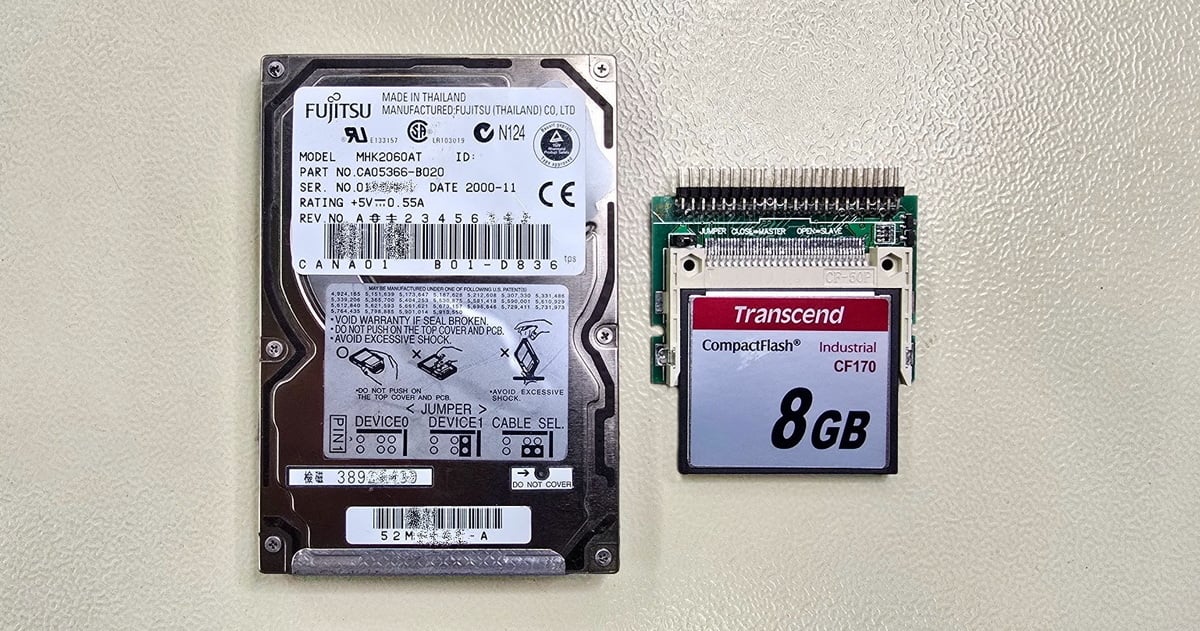
              • Fujitsu MHK2060AT hard drive and a Transcend CF170 Industrial 8 GB CompactFlash card in an IDE adapter

                Hard Drive from a CNC Lathe: Data Recovery and Replacement with an Industrial CF Card

                Read more
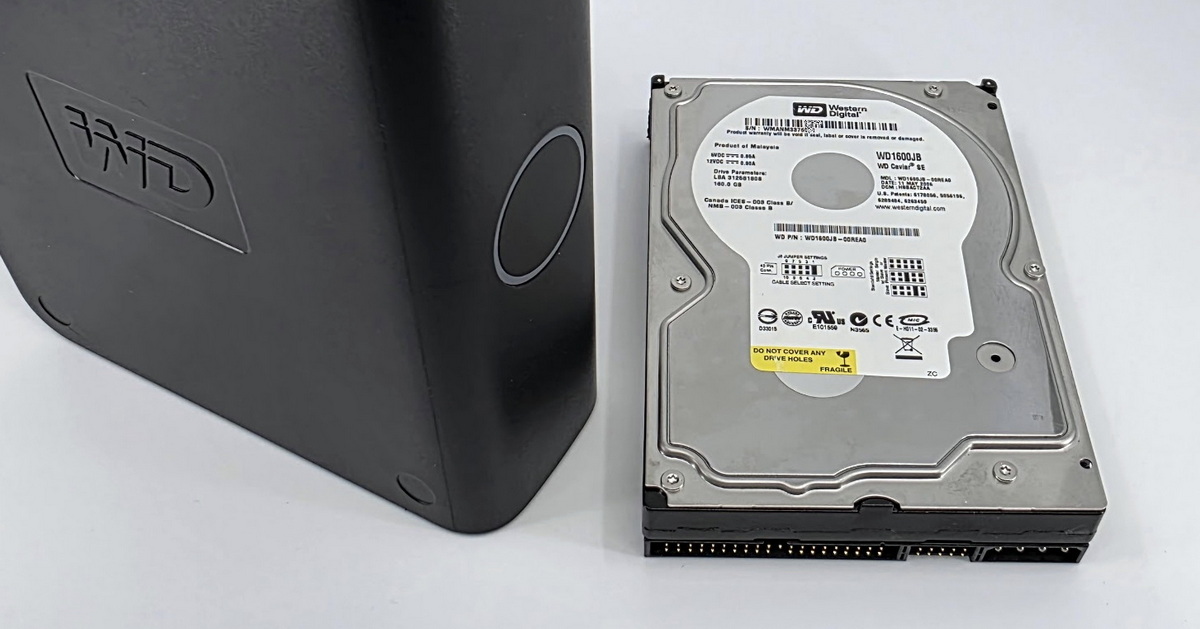
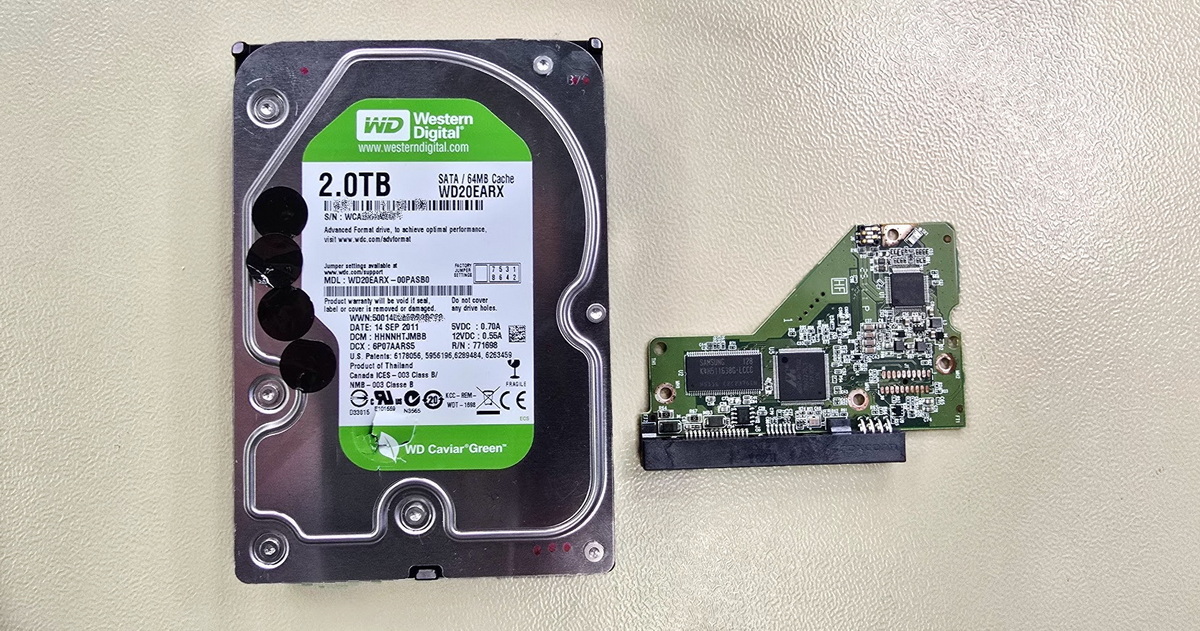
              • Amateur drive opening – WD My Book data recovery after previous intervention

                When a DIY "repair" causes more damage than the original failure

                Read more
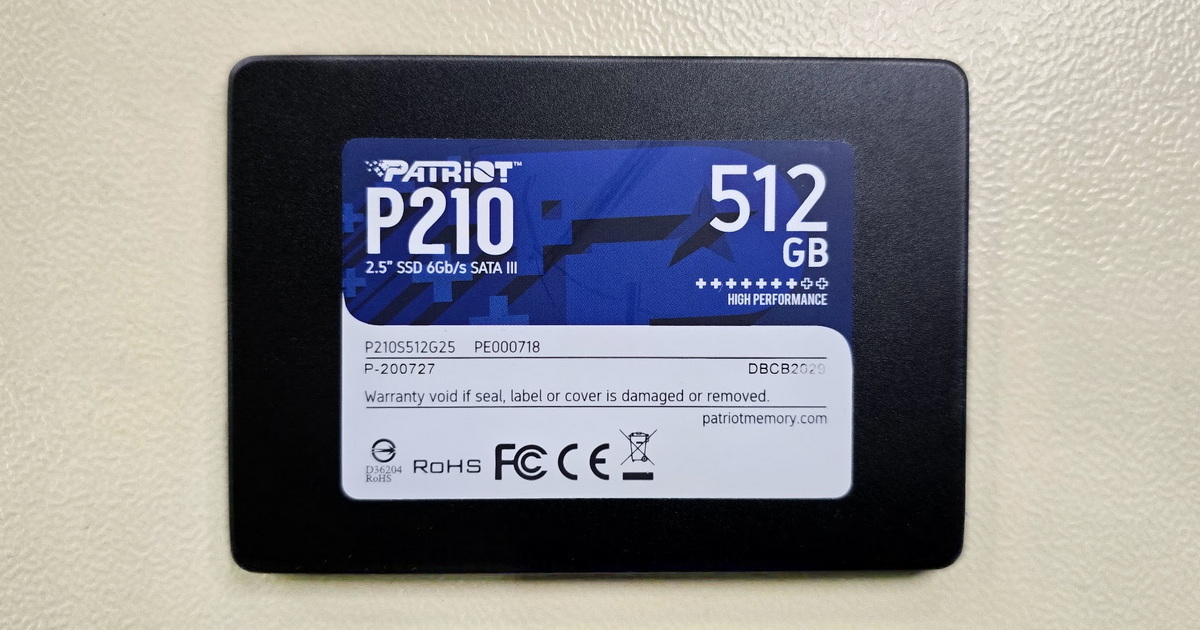
              • Patriot P210 512GB – When an SSD Reads Half a Gigabyte and Then Freezes

                Patriot P210 512GB – When an SSD Reads Half a Gigabyte and Then Freezes

                Read more
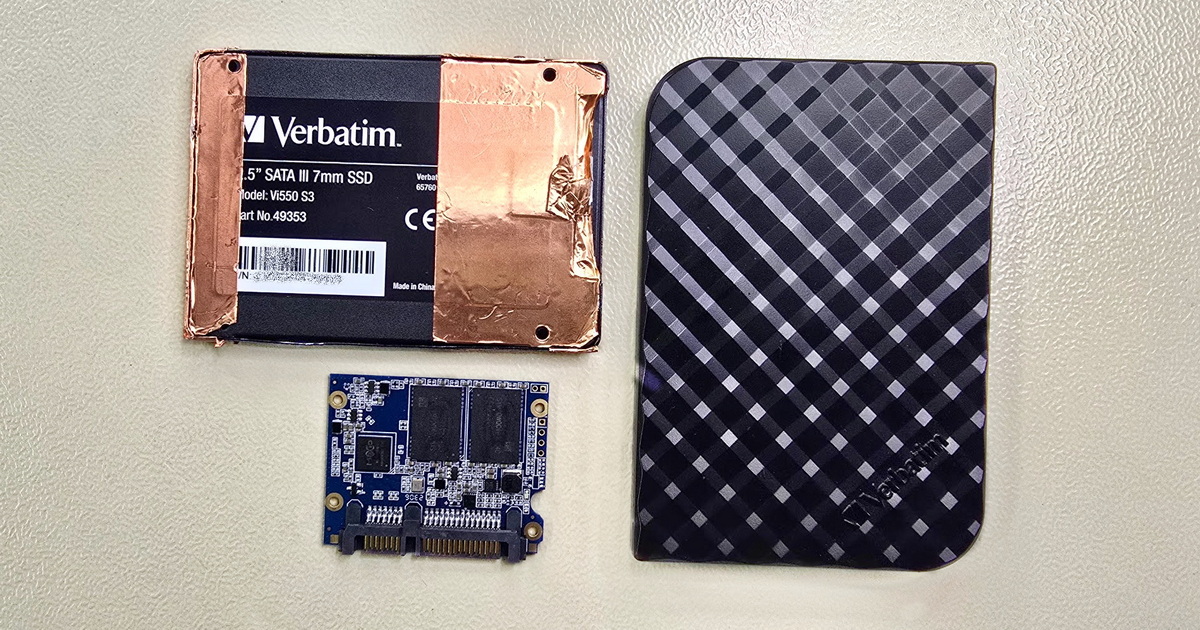
              • Verbatim SSD with Maxio MAS1102B Controller

                Verbatim Vi550 S3 SSD with Maxio Controller – When the Standard Approach Isn't Enough

                Read more
              • Ransomware a záchrana dat – co reálně funguje a kdy je pozdě

                Ransomware and Data Recovery – What Actually Works and When It's Too Late

                Read more
              • Data Recovery from Samsung Galaxy S23 Ultra after Motherboard Failure

                Data Recovery from Samsung Galaxy S23 Ultra after Motherboard Failure

                Read more
              • Forgotten Data on a Forgotten Interface

                Forgotten Data on a Forgotten Interface

                Read more
              • HDD Data Recovery – When Software Helps and When to Call the Experts

                HDD Data Recovery – When Software Helps and When to Call the Experts

                Read more
              • Western Digital My Cloud NAS with open drive bays and two WD Red Plus HDDs installed

                Formatted disk in RAID 1 and a NAS that stopped working

                Read more

              Contact

              EXALAB Data Recovery
              Microshop s.r.o.
              Pod Marjánkou 4
              169 00 Praha 6
              Česká Republika

              Opening hours: 
              Monday to Thursday
              9.00 - 18.00
              Friday 9.00 - 17.30
              other opening hours are possible upon agreement

              Hotline: +420 608 177 773
              Office: +420 233 357 122
              E-mail: [email protected]

              Contact

              Hotline: +420 608 177 773
              Kancelář: +420 233 357 122
              E-mail: [email protected]

              Opening hours: 
              Monday to Thursday
              9.00 - 18.00
              Friday 9.00 - 17.30
              other opening hours are possible upon agreement

              EXALAB Data Recovery
              Microshop s.r.o.
              Pod Marjánkou 4
              169 00 Praha 6
              Česká Republika

              FILE RECOVERY MEDIA CITIES FAQ ABOUT US TESTIMONIALS PARTNER PROGRAM GLOSSARY CONTACT TERMS AND CONDITIONS GDPR COOKIES QUALITY RATING OF OUR SERVICES JOB OPPORTUNITIES COOKIES SETTINGS

              Data recovery from all types of storage media Czech Republic.

              © 2006-2023 FF & Microshop Česká republika