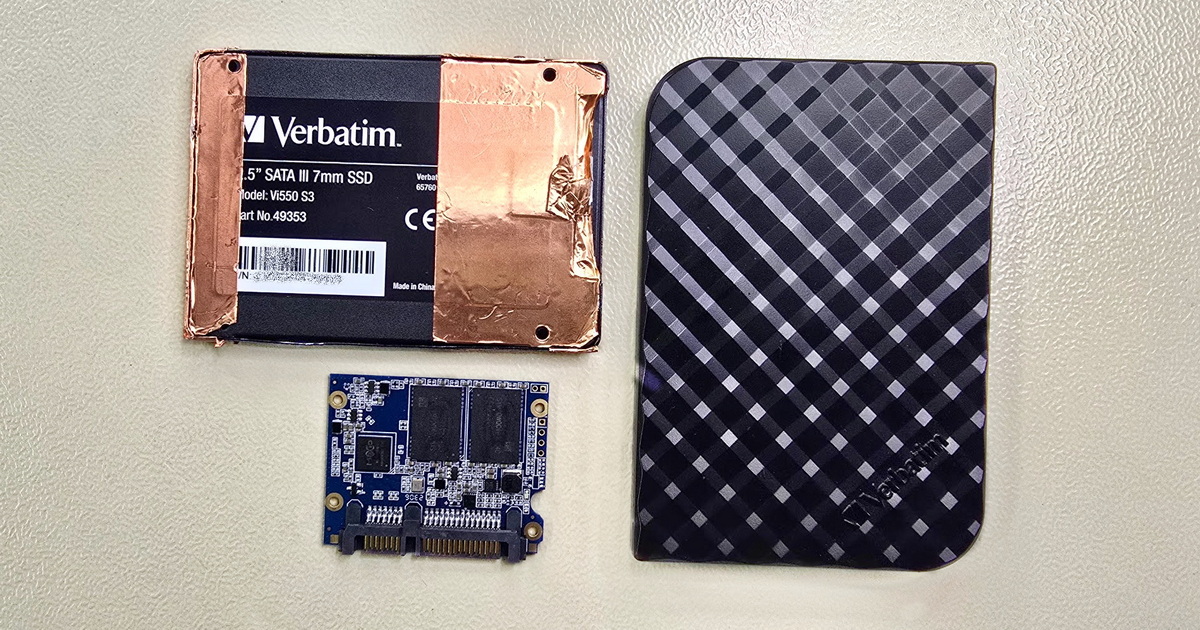
Corrupted file recovery is possible in most cases, provided the storage medium is not fatally damaged and the data has not been overwritten. Success depends on the cause – bad sectors, interrupted write operations, file system failure, or malware. At the EXALAB laboratory, we provide free diagnostics and work with all types of storage media and file formats.


Corrupted files are one of the most common reasons clients contact us. A file that cannot be opened, displays error messages, or shows garbled content is not necessarily lost. It depends on the cause of the corruption and the steps the user takes. Corrupted file recovery requires both knowledge of the internal structure of specific formats and experience with various types of storage media – from hard drives and SSDs to mobile phones and memory cards.
We provide diagnostics FREE of charge and with no obligation. We work with all types of storage media and file formats, regardless of the operating system or platform used.
The medium (drive, SSD, card, phone) works normally, but some files cannot be opened, are garbled, or report errors. Common causes include interrupted write operations (power outage, improper disconnection), file system errors, malware damage, or application software bugs.
Examples: Unreadable Word/Excel document, corrupted database (Pohoda, Money S3, SQL), garbled photographs, unopenable ZIP/RAR archive, corrupted virtual disk file (VMDK, VHD/VHDX), corrupted backup (Veeam, Acronis), corrupted security camera recording, files damaged during copying over a faulty cable or after a power outage.
Indicative price: CZK 1,500 – 5,500
More information – causes of file corruption
Free consultation, diagnostics, pickup
The medium shows signs of failure – the drive clicks, the SSD is not detected, the phone won't turn on, or the card reports errors. Files are corrupted due to bad sectors, read head failure, memory chip errors, or controller failure. First, access to the medium must be restored; only then can the integrity of individual files be addressed.
Examples: Unreadable sectors on an HDD causing database corruption, SSD with faulty NAND chips damaging the file system, memory card with partially unreadable photographs, data corrupted after a failed RAID array rebuild, files damaged during disk cloning from a drive with bad sectors.
Indicative price: CZK 3,000 – 17,000 (depending on media type and extent of damage)
More information – hardware causes of corruption
Free consultation, diagnostics, pickup
The cause of file corruption may not be easy to determine. Files can become corrupted due to incipient media failure without the user noticing any warning signs. However, it could also be a trivial issue such as file system incompatibility or improper disconnection of an external drive. Take advantage of our free consultation – a few minutes on the phone can save you unnecessary worry.
Indicative price: from CZK 1,500
Free consultation, diagnostics, pickup
A corrupted file is a file whose internal structure has been disrupted to such an extent that the application meant to open it cannot correctly interpret its contents. Unlike a deleted file, which can often be recovered if its space on the disk has not been overwritten, a corrupted file is physically present but its contents are partially or completely unreadable.
It is important to distinguish two fundamentally different scenarios:
Deleted file – the file has been removed, but its data may still be on the medium until overwritten by new data. Recovery depends on whether and how much data has been overwritten. More about recovering deleted data from HDD or SSD.
Corrupted file – the file exists, but its contents are damaged. Parts of the file may have been overwritten with random data, key structural information (headers, indexes, metadata) may be missing, or the internal data consistency may be disrupted.
Bad sectors on HDD – a hard drive stores data on magnetic platters. Gradual degradation of the platter surface leads to the formation of bad sectors – areas where data cannot be reliably read or written. If a bad sector affects the area where a file is stored, that portion of the file becomes unreadable. The drive may otherwise appear to function normally – the user only notices the problem when attempting to open a specific file. More about hard drive problems can be found in the HDD – slow data access section.
Memory chip errors (SSD, flash, phones) – flash memory has a limited number of write cycles. As wear increases, so does chip error rate. The SSD controller corrects these errors using ECC (Error Correction Code), but when the correction capacity is exceeded, data corruption occurs. This problem is more common with cheaper media (SD cards, USB flash drives) due to the use of lower-quality memory chips. More about memory chip failure in SSDs can be found here.
Interrupted write operation – a power outage, improper disconnection of an external drive, or a system crash during file saving can result in only a partial write. This is especially critical for complex formats (databases, virtual disks, archives), where an incomplete write can damage internal indexes and tables, rendering the entire file unreadable – not just a portion of it.
File system failure – corruption of the MFT (Master File Table) in NTFS, the catalog file in HFS+/APFS, or the superblock in ext4 can cause the file system to incorrectly interpret the location and size of files. The result is files that appear corrupted, even though the actual data on the medium may be intact. This type of problem is generally resolvable and data has a high chance of successful recovery.
Malware – some types of malware deliberately damage or encrypt files. Ransomware encrypts data and demands a ransom for the decryption key. Less sophisticated malware may damage files as a side effect of its activity. In both cases, the outcome depends on the specific type of malware and the extent of the damage – take advantage of our free consultation to assess your options.
Media firmware errors – firmware is the control software inside a drive, SSD, or other medium. A firmware bug can lead to incorrect sector mapping, read/write errors, or complete data inaccessibility. These problems cannot be resolved with software tools – they require intervention at the firmware level using specialised hardware. More about firmware issues in HDDs can be found in the hard drive failure section, and for SSDs in the SSD controller section.
Faulty RAM (memory) – a lesser-known but insidious cause of file corruption. Faulty RAM can corrupt data before it is even written to disk. Files are saved with erroneous content without the user noticing – the disk and file system are perfectly fine. The problem typically manifests only when the file is opened later. If corrupted files appear repeatedly and seemingly without reason, the RAM may be to blame. RAM can be tested using a tool such as MemTest86.
Data transfer errors – a faulty USB cable, overloaded USB hub, unstable wireless connection, or premature disconnection of the medium during copying can cause files to be transferred to the destination incomplete or corrupted. Typical symptoms include photographs with a grey border, empty documents with the correct file name, or archives reporting CRC errors. The source files are usually intact – if they are still available, simply repeat the transfer with a working cable and verify the integrity of the transferred data.
Disk array failure (RAID/NAS) – in RAID disk arrays, file corruption can occur after the failure of one or more drives and the subsequent array rebuild. If one of the drives in the array has bad sectors that only manifest during the intensive read operations of a rebuild, the data on the resulting array may be inconsistent. A similar problem arises if the array is assembled with the wrong drive order or incorrect parameters. In NAS devices with their own file system (Btrfs, ZFS, EXT4), file corruption can also occur due to NAS firmware failure.
Disk cloning or migration errors – migrating from one drive to another (typically from HDD to SSD) using cloning software can result in corrupted data if the source drive has bad sectors, if a power outage interrupts the process, or if the cloning tool encounters an error. The result is typically an unbootable system or corrupted files on the new drive, while the original may have already been wiped or formatted.
Data degradation during long-term storage (bit rot) – data on storage media can gradually degrade over time, even when the medium is not actively in use. With HDDs, the magnetic charge on data platters slowly weakens; with flash media (SSDs, SD cards, flash drives), the electrical charge in memory cells gradually leaks. This process is slow but real – especially with flash media, where the stored charge gradually "evaporates". If a backup is stored on a flash drive and the user returns to it after several years of non-use, they may find that some files are corrupted. Regular verification and refresh of backups eliminates this problem.
Application error during saving – an application or operating system crash during file saving, a bug in the software itself, an autosave function failure, or an unexpected interruption of batch processing can lead to corruption of the file being saved. With complex formats (databases, CAD projects, catalogues), an incomplete write can damage the internal structure to such an extent that the application refuses to open the file. A special case is simultaneous access by multiple users or processes to the same file without proper locking – typically with shared databases on network storage.
Interrupted encryption – if the encryption process (BitLocker, FileVault, VeraCrypt) is interrupted by a power outage or system crash, the disk may be left in a transitional state where part of the data is encrypted and part is not. Recovering data from such a medium requires knowledge of the exact state of the encryption process at the moment of interruption. A similar problem occurs when changing the encryption key or migrating an encrypted drive to another computer without properly exporting the keys.
Free consultation, diagnostics, pickup
Corrupted file recovery pricing
Microsoft Office documents (Word, Excel, PowerPoint), PDF files, databases (Microsoft Access, SQL Server, PostgreSQL, MySQL), and accounting systems (Pohoda, Money S3, ABRA). These files have a complex internal structure, and even minor damage to a key area, such as the header or an internal table, can render the entire file unopenable. With databases, the situation is particularly sensitive – corruption of a single record can cause a cascading error that affects the entire database.
RAW photographs (CR2, NEF, ARW, DNG), JPEG, TIFF, video files (MP4, MOV, MKV, AVI), and professional formats (R3D, BRAW, MXF, ProRes). A typical symptom of photo corruption is a garbled or grey bottom edge of the image – this occurs when part of the file data is unreadable but the header remains intact. With video, corruption can cause the file to be unplayable despite having the correct file size. Container formats (MP4, MOV) contain index tables (moov/mdat atoms), without which the player cannot interpret the video – their reconstruction is one of our most common tasks.
CCTV systems store recordings in proprietary formats (H.264/H.265 streams, manufacturer-specific containers such as Hikvision, Dahua, Avigilon). Corruption can occur due to drive failure in the recorder, power outage during recording, or storage overflow. A typical problem is that the manufacturer's player refuses to open the file, even though the data is on the drive. Recovery involves analysing the video stream and re-packaging it into a playable container.
Lightroom catalogues (.lrcat), Capture One catalogues, Adobe Premiere projects, DaVinci Resolve projects, and other editing and post-production software. These files are internally databases (often SQLite) containing metadata, edits, sorting, and links to source files. Catalogue corruption can mean the loss of months of photo editing or video editing work, even if the source files remain intact.
AutoCAD drawings (DWG, DXF), 3D models (STEP, IGES, STL), SolidWorks projects, Inventor, and other CAD systems. Corruption of a DWG file manifests as errors on opening, missing entities in the drawing, or complete unreadability. For project documentation where a single file can represent hundreds of hours of work, professional recovery is particularly justified.
VMDK (VMware), VHD/VHDX (Hyper-V), Veeam backups (.vbk, .vib, .vrb), Acronis backups (.tib). Corruption of a virtual disk or backup can mean the loss of an entire virtual server or a complete backup. With these files, we work with their internal structure – we extract data directly from the corrupted container, even if the container itself cannot be mounted normally.
ZIP, RAR, 7z, TAR.GZ. Compressed archives are particularly susceptible to corruption – if the damaged area is within the compressed data stream, it is not possible to simply skip to the next file. Modern formats (RAR5, 7z) have better resilience thanks to redundant information (recovery records), but even these cannot help with more extensive damage.
Outlook PST/OST files, Thunderbird mailboxes (MBOX). Email databases can grow to tens of gigabytes, and their corruption can mean the loss of years of communication, attachments, and contacts.
We also work with formats not listed above – audio production (DAW projects, WAV, FLAC), medical imaging (DICOM), GIS data, cryptocurrency wallets, ERP system files, and more. The recovery principle is always the same: analysis of the internal structure of the specific format and reconstruction of the corrupted parts. If you don't find your format in this overview, don't hesitate to contact us – there is a high probability we have already encountered it or have the means to analyse and recover it.
Free consultation, diagnostics, pickup
Corrupted file recovery pricing
The first step is always media diagnostics. We determine whether the cause of file corruption is hardware-related (bad sectors, electronics failure, damaged chips) or software-related (file system error, interrupted write, malware). Based on the diagnostics, we provide you with a prognosis, cost estimate, and time frame. We typically offer 3–4 turnaround options, where faster processing affects the price.
If the problem lies with the medium, we first create a complete sector-by-sector binary image of the entire medium. All subsequent work is performed exclusively on this image, never on the original. This eliminates the risk of further damage.
For media with a hardware fault (defective read heads, damaged memory chips, electronics failure), we first restore access to the medium using specialised hardware and software, and only then create the image. The procedure varies by media type – more about restoring access to HDD and SSD.
On the image, we analyse the corrupted files. The procedure depends on the file type and extent of damage:
File system level reconstruction – if the MFT, FAT table, or other key file system structure is damaged, we reconstruct it from redundant copies or from analysis of the data area. The result can be restored access to all files without needing to address individual files separately.
File level reconstruction – for individual corrupted files, we work with knowledge of their internal format. We repair headers, rebuild internal indexes, and supplement missing structural blocks. For example, for a corrupted MP4 video, we reconstruct the moov atom from analysis of the mdat data stream.
Data mining (carving) – in the most complex cases, where the file system is completely destroyed, we extract files directly from binary data based on knowledge of the internal structure of individual formats. We identify headers, footers, and internal relationships of files within the raw data.
After recovery, you receive a list of recovered files. Payment for the data recovery is due only after you approve the results.
Free consultation, diagnostics, pickup
Corrupted file recovery pricing
Various tools for repairing files of specific formats are available online. If the data in question is not irreplaceable, you may try some of them. General data recovery tools (such as R-Studio, UFS Explorer, or Disk Drill) can also help with certain file system problems. Most of these programs can be tried free of charge.
If you are unsure of the cause of the corruption, we recommend a free consultation first. Improper use of software on a physically damaged medium can cause irreversible data loss. Some operations (CHKDSK, fsck, formatting) can overwrite the very areas from which data could otherwise be recovered.
Free consultation, diagnostics, pickup
A 3.5" Seagate Barracuda hard drive from a small company's accounting computer landed on our desk. The Pohoda accounting software was reporting errors when opening the database and refused to launch. The user had attempted to repair the database using the program's built-in tool, but the condition did not improve.
During diagnostics, we found that the drive had approximately 200 bad sectors, several of which directly affected the area where the accounting database was stored. The drive otherwise appeared to function normally – it produced no unusual sounds and was correctly recognised by the system. We created a binary image of the drive and analysed the corrupted database. The bad sectors had affected the index tables in the MDB file. By reconstructing the internal indexes and correcting the damaged records, we were able to recover the complete database including all accounting documents.
Result: Complete data recovery. The entire process took 2 working days. We recommended the client replace the drive and implement regular database backups, as bad sectors on a drive are a reliable warning sign of impending failure.
A photographer brought in a 128GB SanDisk SD card from which approximately one third of the photographs could not be opened after transfer to a computer. The CR2 (Canon RAW) images either displayed with a grey bottom edge or could not be opened at all. The camera had worked on the card without any issues right up to the end of the shoot.
Diagnostics revealed that the card had failing memory chips – reads from certain areas were unreliable, resulting in erroneous data. We created a binary image of the card with repeated reads of the problematic areas to maximise data yield. We then analysed the corrupted CR2 files and individually reconstructed the missing or damaged data blocks for each one. For the vast majority of photographs, we were able to restore full image quality.
Result: Recovery of 97% of photographs at full quality; the remaining 3% had minor artefacts in insignificant areas of the image. The work took 3 working days.
Free consultation, diagnostics, pickup
A deleted file has been removed, but its data may still be on the medium until overwritten by new data. A corrupted file is present on the medium, but its contents are damaged – the application cannot open it or displays erroneous output. Recovering deleted files involves finding them on the drive; recovering corrupted files requires working with the internal structure of the file and reconstructing missing or damaged data. More about the differences can be found here.
The price depends on the type and extent of the damage. For software problems on a functioning medium, prices start from CZK 1,500. For hardware faults, the price ranges from CZK 3,000 to 17,000 depending on the media type and complexity of the intervention. Diagnostics are always free and non-binding – you know the price before you decide to proceed. A detailed price overview can be found in the pricing section.
For software problems on a functioning medium, it typically takes 1–3 working days. For hardware faults, it depends on the complexity of the media repair and usually takes several days. If you need the data urgently, we offer an express service where we begin work within hours. Conversely, if you are not in a hurry, you can choose a more affordable option with a longer turnaround time. All options are presented as part of the free diagnostics.
Yes, we recover corrupted files from HDDs, SSDs, RAID/NAS systems, mobile phones (both iOS and Android), memory cards, USB flash drives, and optical media. The type of medium affects the procedure and price, but not the ability to recover. More about data recovery from specific media types can be found on the HDD, SSD, and other pages.
Stop using the device and contact us. Software tools have their limits – they cannot address hardware causes of corruption, and improper use can make the situation worse. In our laboratory, we have access to professional tools and procedures that go beyond the capabilities of commercial software. Diagnostics are free and non-binding.
Not necessarily. File corruption during copying can be caused by a faulty USB cable, overloaded USB hub, unstable connection, or premature disconnection of the medium. If the source files on the original medium are still intact, simply repeat the transfer with a different cable and verify the integrity of the transferred data. However, if the problem recurs with a different cable, or if the source files are also corrupted, it may indicate incipient media failure – in that case, we recommend backing up the data as soon as possible and using our free diagnostics.
During a RAID array rebuild, data is reconstructed from the remaining drives. If one of them has bad sectors that only manifest during the intensive read operations of the rebuild, the reconstructed data may be inconsistent. The result is files that appear fine at first glance but report errors when opened. Another risk is failure of the rebuild process itself, interruption of the process, or incorrect array parameter settings. In such a situation, stop working with the device and contact us – non-expert attempts to repair the array can significantly worsen the situation.
Yes. If corrupted files appear repeatedly and seemingly without reason across different locations on the drive, the cause may be faulty RAM (memory). Faulty RAM corrupts data before it is written to the drive – the drive and file system are perfectly fine. RAM can be tested using MemTest86. Other possible causes include computer overheating, an unstable power supply, or malware. If you have doubts about the cause, take advantage of our free consultation.
The best prevention is regular backups – having important data stored in two or more locations. Simply moving data to another drive is not a backup! We also recommend: always safely eject external drives (use the "Safely Remove Hardware" function), use a UPS (uninterruptible power supply) for important computers and servers, monitor drive health with diagnostic software (e.g., CrystalDiskInfo), and handle external drives carefully – avoid drops and impacts.
Yes, in many cases. With photographs, it may be possible to recover most of the image with minor artefacts in the damaged area. With databases, it is often possible to extract undamaged records and tables even when the entire database cannot be opened normally. With archives (ZIP, RAR), it is sometimes possible to extract undamaged files even when the archive as a whole reports an error. The extent of recovery depends on the scope and location of the damage – we will provide you with a specific prognosis as part of the free diagnostics.
It depends on the type of medium and the circumstances. On hard drives (HDD) with conventional magnetic recording (CMR), the previous version of the file may still be on the drive if it has not been overwritten by other data – in that case, recovery may be possible. With SSDs and flash media, the situation is more complex, as TRIM and wear levelling functions can quickly eliminate the original data. The important thing is to stop using the medium after discovering the problem and contact us. This is a different issue from file corruption – it falls under deleted data recovery, which you can read more about in the HDD deleted data recovery and SSD deleted data recovery sections.
Confidentiality and treating data as strictly private is an absolute given at EXALAB. However, if the nature of the assignment requires it, or you simply want confidentiality guaranteed by contract, do not hesitate to request a non-disclosure agreement.
Is your data covered by insurance? Before you confirm the order, we will prepare a "fault confirmation" document, on the basis of which you can have the data recovery costs approved by your insurance company – and only then confirm the order.
EXALAB Data Recovery
Microshop s.r.o.
Pod Marjánkou 4
169 00 Praha 6
Česká Republika
Opening hours:
Monday to Thursday
9.00 - 18.00
Friday 9.00 - 17.30
other opening hours are possible upon agreement
Hotline: +420 608 177 773
Office: +420 233 357 122
E-mail: [email protected]
Hotline: +420 608 177 773
Kancelář: +420 233 357 122
E-mail: [email protected]
Opening hours:
Monday to Thursday
10.00 - 18.00
Friday 10.00 - 17.30
other opening hours are possible upon agreement
EXALAB Data Recovery
Microshop s.r.o.
Pod Marjánkou 4
169 00 Praha 6
Česká Republika