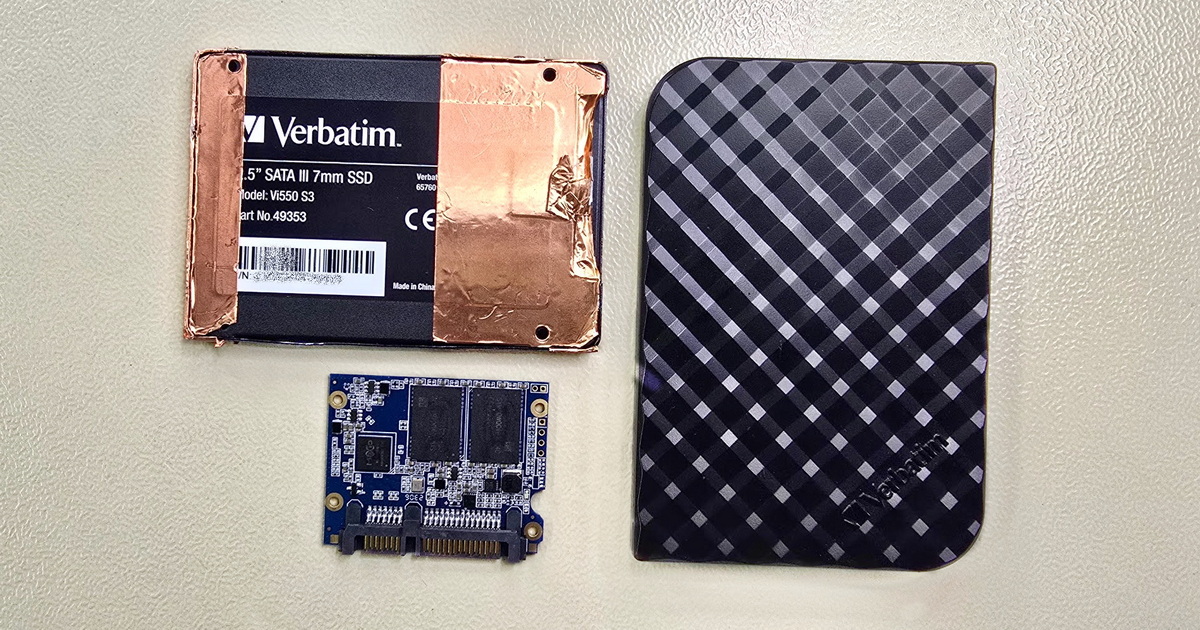
If your external drive has stopped responding, is clicking, slowing down, or fails to show up at all, stay calm and—above all—do not try to revive it yourself. Every additional power-up can make things worse and reduce the chance of a successful recovery. Disconnect the drive immediately and bring it to EXALAB for free diagnostics. Our technicians will analyze it and carry out professional data recovery for both physical and logical damage.


External hard drive data recovery at our laboratory follows clearly defined steps—intake and case registration, free diagnostics, a price quote, addressing the drive’s primary fault, creating a binary image of the media, the recovery itself, and handover of the recovered data. The timeline ranges from days to weeks depending on the condition of the media and the chosen priority of the case. You receive specific timeframes after diagnostics. Until the moment you confirm the price quote, you pay nothing—diagnostics and pickup within the Czech Republic are free. The same process applies to external HDDs, SSDs, USB flash drives, and small DAS arrays.
→ Detailed information on symptoms, types, and brands of external drives: External hard drive data recovery—HDD, SSD, flash, and DAS
Five things that determine how smoothly the case will go. A detailed description of the first steps after a drive failure is on the main external drive page External hard drive data recovery; below is a quick summary:
Free consultation, diagnostics, pickup
Processing time depends on the type of fault, the condition of the media, the availability of donor parts, and the chosen priority of the case. Every case is, in a sense, unique. Below is a typical course—for most cases the real timeframes fall within these ranges, but it is not a binding schedule. You receive specific timeframes together with the price quote after diagnostics; the real timeframe always depends on the condition of the particular media.
For urgent cases (a company’s production data, critical work in progress, wedding photos before a deadline) we offer priority and express processing. Priority mode means precedence within regular working hours; express also includes work outside working hours and on weekends. Conversely, if you’re not in a hurry, you can choose deferred processing for a lower price and a longer turnaround—the option most clients choose.
Free consultation, diagnostics, pickup
When the drive arrives at the lab—whether by courier or delivered in person—we perform a basic visual inspection of the enclosure, connectors, cable, and adapter, and register the case in our internal system. We record the model, serial number, capacity, your description of the fault, and the date of receipt.
You receive the intake report with the case number by email; we use it to communicate throughout the case, and it lets you find the status in our internal database. An electronic version is enough for most clients; if you need a printed report, that’s no problem.
Only then does a technician take over the drive and work on it in a manner that matches the description of the fault. An accurate description of the fault from the client’s perspective—what happened, how the fault manifests, what preceded it—is just as important to us at this stage as the actual condition of the media. A poor description leads to the wrong approach and can needlessly complicate the situation. With drives showing mechanical symptoms (a drop, clicking, knocking) we proceed conservatively from the start and don’t power the drive up at all without a prior visual inspection in the cleanroom.
Diagnostics are always free and without obligation. The goal isn’t to “fix the drive as fast as possible,” but to gather enough information to give you a realistic price quote so you can make an informed decision.
In the vast majority of cases (around 98%) diagnostics are non-invasive and do not change the state of the media. The drive is usually not removed from its original enclosure and we don’t open it in the cleanroom. We can typically assess its condition from symptoms and experience from thousands of previous cases—from the drive’s behavior on connection, identification, its ability to read the first sectors, the read pattern across the drive, and, on HDDs and SSDs, the SMART diagnostic attributes.
If an invasive intervention is needed to determine the type of fault precisely—opening the drive in the cleanroom, inspection under a microscope, visual inspection of the electronics—we carry it out only after agreement with the client, because an invasive intervention changes the state of the media. Without the client’s explicit consent we do not modify the state of the drive.
The diagnostics result determines which category the case falls into:
A detailed description of the individual fault types by symptom, which we use as an internal decision matrix, is on the main page External hard drive data recovery—in the Symptoms, causes, and types of damage sections.
Free consultation, diagnostics, pickup
After diagnostics are complete you receive a price quote, usually by email or phone. It includes the price range for your specific case, a description of the identified fault, the proposed recovery approach, and an estimate of the turnaround time. Until the moment you confirm the quote, you pay nothing.
The price of data recovery is affected mainly by these factors:
The price, on the other hand, is not affected by:
What happens if you say “no.” If you decline the price quote, we send the drive back in the state it arrived in. You pay nothing for diagnostics. Pickup to us is free, in-person collection of the media is also free; return shipment by courier is charged according to the price list.
If your data is insured, the fault confirmation you need for the insurer is part of the intake report—it includes a description of the drive’s condition and the proposed recovery approach. With this document you have the claim approved and only then confirm the order.
Indicative price ranges by media type and fault are in our price list.
Data recovery price list
Free consultation, diagnostics, pickup
After the price quote is confirmed, the data recovery itself begins. The exact order of steps depends on the condition of the drive. For drives with a primary fault—damaged electronics, mechanical damage, stuck heads, an SSD firmware fault—we first address that fault so the drive is able to read at all. Only then do we proceed to create a binary image. For drives with a purely logical fault (a damaged file system, deleted data) we can proceed to the binary image directly, because the drive is itself technically fine.
A binary image of the media means a sector-by-sector identical copy of the entire drive—bit by bit. We create the image with full control over access to the original, so during this operation no write occurs to the source media. All further work—file-system reconstruction, searching for files by signature, decryption, verification—then takes place exclusively with this image. Nor do we write to the binary image itself; its state remains unchanged, and any operations that would require a “write” (for example, a simulated file-system repair) take place in a separate temporary layer over the image, not into the image itself.
The reason is simple: a damaged drive can fail at any time during the work. A drive that arrived at the lab as “readable, but with a logical fault” can deteriorate within a few hours—magnetic-layer degradation progresses, read heads wear out, NAND cells lose their charge. If we worked directly with the original, we could end up with a drive that no longer reads at all and data that no one will ever recover. A binary image gives us a safe reserve—as long as we have a working copy, we have all the data, even if the original were to fail definitively in the meantime.
Creating the image takes hours for a healthy drive and days for a drive with problems; in extreme cases it can take weeks. A healthy 2 TB HDD is copied in roughly 5–7 hours at a read speed of around 100 MB/s. A drive with weak heads that reads each sector only after several attempts can stretch the operation to weeks—in such cases we read the “healthy” zones first, leave the difficult areas for last, and for critically damaged drives use more advanced read patterns.
For drives with a mechanical fault, the drive first has to be brought to a state where it is able to read at all—this takes place in the cleanroom (replacing heads from a donor drive, releasing stuck heads, or transferring the drive into a donor drive’s body). Creating the binary image itself then takes place at a read station where the drive is monitored throughout—temperature, vibration, motor, head behavior. If the drive deteriorates during reading, we pause the operation, evaluate the situation, and decide on how to proceed.
On SSDs and flash drives, creating the image has its own specifics. For a healthy unit, reading over USB or SATA is fairly fast. On flash drives with a damaged controller, the data is read directly from the NAND memory chips and reconstructed according to the controller’s algorithm. On SSDs the drive is switched into a technological mode, a service loader is loaded, and the controller is emulated; only then can the data be read. The duration can’t be predicted in general—it depends mainly on the condition of the NAND memory and the extent of the service-data damage, and so even on SSDs it can stretch to weeks.
Once we have a working binary image of the drive, the actual recovery work begins. The exact approach depends on the type of fault, but it generally moves along three lines.
File-system reconstruction. For a damaged NTFS, exFAT, APFS, ext4, or other system, we repair the metadata on the binary image—MFT, partition table, journal, catalog. No risk of making things worse: the original is untouched, and with the image we can experiment, roll back, and try a different path.
Searching for files by signature. For drives with a severely damaged file system (or one that is entirely lost, e.g. after a deep reformat) we search for files directly in the binary content of the image—by the characteristic signatures of individual file types. Formats such as JPG, RAW, MP4, DOCX, PDF, or ZIP have a recognizable header and structure that we can identify and reconstruct the file from, even without knowing its original location in the file system. Limitation: without the file system we lose file names, timestamps, and the directory structure—files have generic names and are sorted into the output folder by type.
Work with the drive’s service data. For firmware faults we work with the drive’s service data using the appropriate approach for the specific brand and model—different for WD, different for Seagate, different for Toshiba. For encrypted drives we extract the key from the service area (where the drive’s architecture allows it) and only then access the user data.
Once the recovery is complete, we carry out an integrity verification—we check that the recovered files are actually openable in common applications, not just that they exist in the directory structure. For photos we verify that a preview opens, for documents that they open in an application, for videos that the file has a playable track. This verification reveals cases where a file is recovered by name and size, but the content is damaged (typically on drives with weak heads, where some sectors were read incorrectly). We mark these files as problematic in the handover list so you know what to expect.
Free consultation, diagnostics, pickup
We hand over recovered data on new media—an external HDD or SSD of appropriate capacity, or on media you send to us. We don’t recommend returning data to the original drive—a drive that has failed has a statistically higher probability of failing again, and returning data to it is like backing up to a ticking time bomb. If you nevertheless insist (cost, sentiment), we’ll do it, but with a written statement that we warned you of the risk.
Along with the recovered data you receive a list of recovered files—an overview of counts by type, total sizes, and any flagging of files suspected of being damaged. This list lets you quickly check that the recovery contains what you need, even before you take the data physically.
Handover takes place either by courier to an address you specify, or in person at our laboratory in Prague. At in-person handover you can check the data on the spot—you connect a notebook you bring, go through the contents, and confirm receipt. By arrangement, the data can also be shared via our data storage, if that suits you better than physical media.
After receipt we recommend backing up the recovered data immediately to another medium—ideally two independent ones. The handover external drive is new media, but the general rule that “important data must exist in at least two independent places” still applies.
Confidentiality and discreet handling of data are a matter of course. If the nature of the case requires it—company data, medical records, legal materials—we’ll enter into a non-disclosure agreement (NDA) with you. We’ll issue a standard template right away; if you have your own company NDA, send it to us and we’ll sign yours after reviewing it.
Free consultation, diagnostics, pickup
After your case is received, you get an intake report with a case number by email. Once diagnostics are complete, we call you or send an email with a price quote and a description of the identified fault. During the recovery itself we get in touch mainly if something unexpected comes up (for example, that the situation is more complex than the original estimate). If you want an interim status, just call +420 608 177 773 or send an email with your case number—we’ll tell you right away what stage the case is at. For priority and express cases we actively communicate after every significant step.
Both are possible. In-person collection takes place at our laboratory in Prague 6 (Pod Marjánkou 4)—we’ll arrange a time that suits you, and at collection you can view the data on the spot on a notebook you bring. In-person collection is free. If you can’t come in person, we send the handover media by courier to an address you specify; return shipment is charged according to the price list. By arrangement, the data can also be shared via our data storage. To other EU countries (Slovakia, Luxembourg, Germany, Austria, and others) we ship by arrangement.
If, during the work, it turns out that the situation requires a larger intervention than the original price quote assumed, we contact you immediately with a revised quote. We don’t proceed without your confirmation. You have three options: confirm the revised quote and continue the work, ask for the drive to be returned in its current state, or agree on a partial recovery (for example, that we recover only the data accessible within the originally agreed scope and leave the rest). In practice we rarely get to a price revision—diagnostics usually describe the situation accurately enough.
Yes, without any obligation. Diagnostics are always free and without obligation—once they’re complete you receive a price quote you can confirm or decline. If you decide not to proceed, we send the drive back in the state it arrived in—undamaged and untouched by any intervention. Pickup to us and in-person collection are free; return shipment by courier is charged according to the price list.
We usually work with the entire binary image of the media and the entire file-system structure—the price depends on the work on the drive, not on the number of recovered files. What you can do: once the recovery is complete, we give you a full list of recovered files, and in discussion with you we select which ones you’ll want to take physically. The handover media can contain just your selection—we delete the rest along with the other working copies after the case is closed.
All data recovery takes place in our own laboratory in Prague. We don’t send drives anywhere abroad and don’t use subcontractors for the recovery itself. From the client’s perspective this means two things: the data stays within the Czech Republic the whole time and in compliance with GDPR, and you communicate directly with the laboratory working on your drive—not through an intermediary. This has been our long-standing principle since our founding in 2006.
→ Detailed information on symptoms, types of drives, and brands: External hard drive data recovery—HDD, SSD, flash, and DAS
EXALAB Data Recovery
Microshop s.r.o.
Pod Marjánkou 4
169 00 Praha 6
Česká Republika
Opening hours:
Monday to Thursday
9.00 - 18.00
Friday 9.00 - 17.30
other opening hours are possible upon agreement
Hotline: +420 608 177 773
Office: +420 233 357 122
E-mail: info@exalab.cz
Hotline: +420 608 177 773
Kancelář: +420 233 357 122
E-mail: info@exalab.cz
Opening hours:
Monday to Thursday
10.00 - 18.00
Friday 10.00 - 17.30
other opening hours are possible upon agreement
EXALAB Data Recovery
Microshop s.r.o.
Pod Marjánkou 4
169 00 Praha 6
Česká Republika