RAID 6 can tolerate the failure of up to 2 drives, and WD RED drives are no slouches — they are an ideal fit for NAS use. In this case, however, three issues came together. The lesser of them is the fact that mixing CMR and SMR drives within a single array is not a good idea, especially where stored data changes frequently. In this case, the WD60EFRX drives are CMR and the WD60EFAX is SMR. The second issue: RAID is not a backup. The third: although the NAS software should alert the user when one or more drives fail, nothing happened here. All three together caused a seemingly normal array to slow down to the point of being unusable — and then fail entirely.

+420 608 177 773
NAS: Synology DS2015xs
RAID configuration: RAID 6
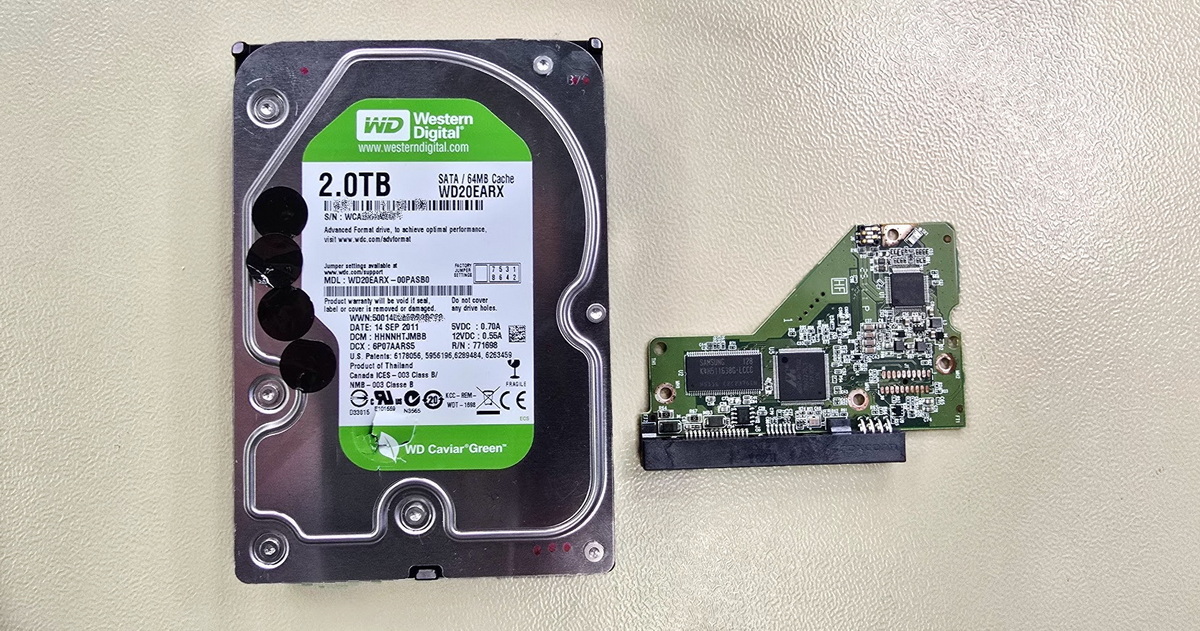
Drives 1–5: WD60EFRX
Drive 6: WD60EFAX
Problem: Spontaneous RAID failure, data inaccessible


A Closer Look
CMR and SMR drives do not belong in the same array. CMR drives use conventional recording and were a suitable choice for this particular NAS and its workload. The WD60EFRX drives were the original set. When one of them began to fail, it was replaced with a WD60EFAX. As it turned out, the user was not at fault — the drive was purchased at a time when WD was, for its own internal reasons, trying to keep the use of SMR hidden from consumers. This drive mix should not have been fatal in itself — at worst, it would cause slower read and write speeds. The drives had been running together in the NAS for some time. However, the SMR drive began to develop errors, and although the NAS gave no indication of a problem (which it should have), the failing drive slowed the RAID 6 to the point of being unusable, which is what ultimately drew attention to the issue. More about the CMR vs. SMR topic can be found in our article SMR — the hidden feature of some drives.
RAID is not a backup. Although RAID 6, which is used in this configuration, can tolerate the failure of up to 2 drives, data should still be backed up. The user might argue that backing up such large volumes of data is not easy and that this is precisely why they invested in a more expensive device and drives. That is ultimately the choice of each user or IT administrator. RAID data recovery can end up being more expensive than a larger upfront investment. Backing up from a Synology NAS can be elegantly handled by replicating data to another Synology NAS. Granted, the initial investment is then effectively doubled. More about RAID and backups can be found in this article.
NAS software failure is, frankly, somewhat unusual. However, judging from the client's photo documentation and our own diagnostics, the NAS truly did not report any failures or outages. Yet user data was inaccessible and the NAS response was extremely slow. The NAS could not be shut down or restarted properly, and eventually would not power on at all.
This Synology DS2015xs was running DSM 6.2 (the NAS internal software), which is now outdated. As subsequent diagnostics revealed, one drive was showing platter surface errors and another had a failed file system (though it passed a full test without errors afterwards). The NAS logs did contain records of these failures. Why the NAS failed to warn about the drive outage and the degradation of the second drive, did not eject the drives and could not maintain operation in a degraded RAID state remains an open question — but it clearly demonstrates that backups have their place even with RAID 6.
Data Recovery from Synology DS2015xs
The WD drives first underwent thorough testing. One showed platter surface errors; another had a failed file system but was otherwise healthy. Nevertheless, in this case it led to a complete loss of data access. Once the problem was identified and all drives thoroughly tested, the RAID 6 recovery was not overly complex for a specialist, as only 4 out of 6 drives were needed to reassemble the array. The client, despite initial concerns, was reassured by this news.
Result: 100% of data recovered. We revived the NAS, installed new drives (the client preferred to replace both problematic ones to be safe), checked the NAS thoroughly from both a hardware and software perspective and updated the management software. The client was 100% satisfied :-)
RAID Data Recovery by Trial and Error — A Common User Mistake
This case was a near-textbook example of the right approach. The client contacted data recovery specialists immediately after discovering the problem, documented the state of the device with photos, and did not attempt any experiments on their own.
If you encounter a similar problem, do not experiment! Swapping drive positions and changing the NAS / RAID configuration will not save your data. A relatively straightforward recovery case could turn into a complicated and expensive one.
Detailed information about recovering data from Synology and other network storage devices can be found on the NAS Data Recovery page. Information about recovering data from RAID arrays of all configurations is available on the RAID Data Recovery page.
- Details
- By František Fridrich
- Parent Category: Blog
- From Practice