Interesting news and updates from the world of data recovery across all types of media, including hard drives, SSDs, and more. Engaging reads for both laypeople and professionals in the field.

A two-drive Western Digital NAS ended up in our lab after it stopped displaying stored data. The owner tried to fix the situation himself – he formatted one of the drives – but instead of a fix, data access became completely impossible. This case illustrates well why it's better not to make hasty decisions when dealing with RAID arrays.

A notebook drive Western Digital WD5000BEVT stopped being detected – a classic scenario that could mean anything from a minor service data issue to severe mechanical damage. This case fell into the latter category.

As we enter 2026, we wish you peace, good health, and a healthy balance between work and personal life. May technology remain a reliable helper, and your data stay safe and secure.

We received an interesting case on our workbench: a compact industrial computer used as a control unit for a production line. Its system drive had failed, and because it ran Windows Embedded Standard 7, which could no longer boot, the machine came to a complete halt. The control application could not start, and production stopped.

Modern SSDs are lightning fast. Yet where their speed is an advantage, the TRIM and Garbage Collection functions can be surprisingly slower—fortunately for a desperate user who has just lost data. Until recently, it was believed that once an SSD was deleted or formatted, the chances of data recovery were practically zero. TRIM and Garbage Collection were thought to immediately “clean” all cells that contained data prior to deletion. However, as shown by findings presented at Acelab Tech Week 2025, the reality is far more interesting.

NAS — network-attached storage — devices are now a common part of households and smaller businesses. They serve as central storage, backup and multimedia libraries. Although they offer a degree of data safety thanks to RAID arrays, situations can arise where all data suddenly becomes inaccessible. This is exactly what happened to the user of this Netgear NAS.

HDD diagnostic is a crucial step before any disk recovery. It shows whether a drive can be safely read and helps determine the right recovery method to minimize the risk of permanent data loss and maximize the chances of successful disk recovery.

Some form of electronic failure (PCB) in hard drives is not uncommon. The problem may lie in the PCB itself, it can be caused by user-induced mechanical damage, or it may involve a combination of issues where the PCB isn't the main culprit, but its technological intricacies still need to be navigated. This particular drive required PCB modifications; fortunately, the data platters and read/write heads were intact.

When switching to a new mobile phone, some users transfer and back up their data immediately. Others postpone this step for various reasons, leaving the old device stored away until the "right" time arrives. This was exactly the scenario with this Lenovo phone.
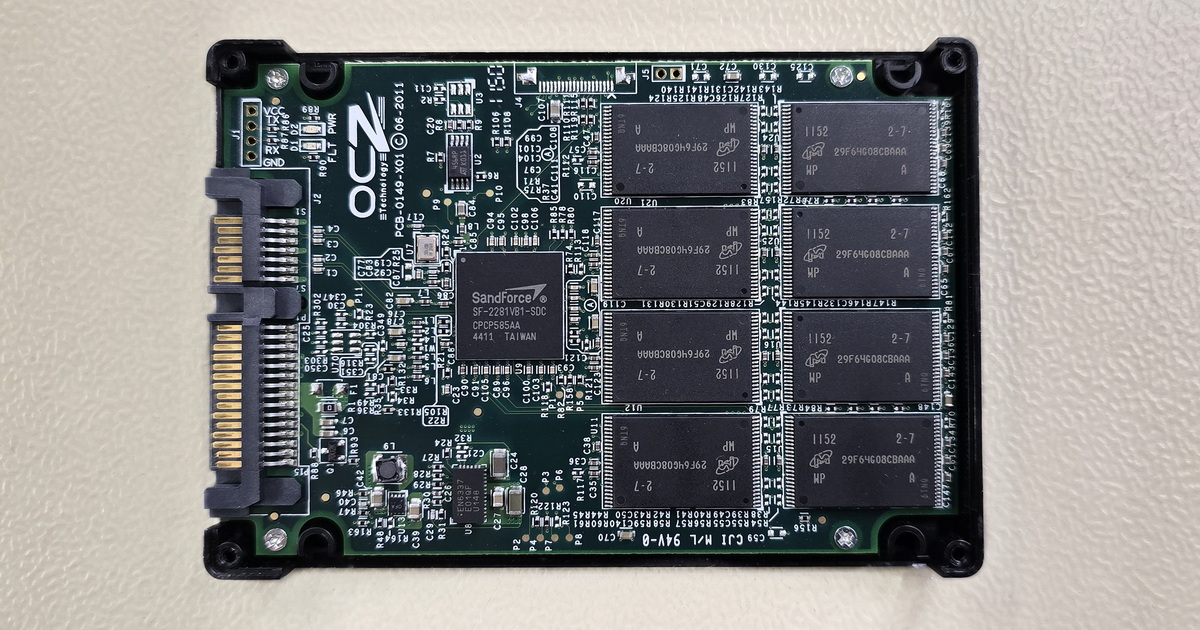
For successful data recovery from an SSD, it is crucial that the memory chips are intact and the device controller is functioning correctly. One of the most critical complications with SSDs is the failure of their controller, which ensures communication between the memory chips and the computer (or other device). If the controller fails, recovering data from such an SSD can be very challenging – and with SandForce controllers, often impossible.
EXALAB Data Recovery
Microshop s.r.o.
Pod Marjánkou 4
169 00 Praha 6
Česká Republika
Opening hours:
Monday to Thursday
9.00 - 18.00
Friday 9.00 - 17.30
other opening hours are possible upon agreement
Hotline: +420 608 177 773
Office: +420 233 357 122
E-mail: info@exalab.cz
Hotline: +420 608 177 773
Kancelář: +420 233 357 122
E-mail: info@exalab.cz
Opening hours:
Monday to Thursday
10.00 - 18.00
Friday 10.00 - 17.30
other opening hours are possible upon agreement
EXALAB Data Recovery
Microshop s.r.o.
Pod Marjánkou 4
169 00 Praha 6
Česká Republika