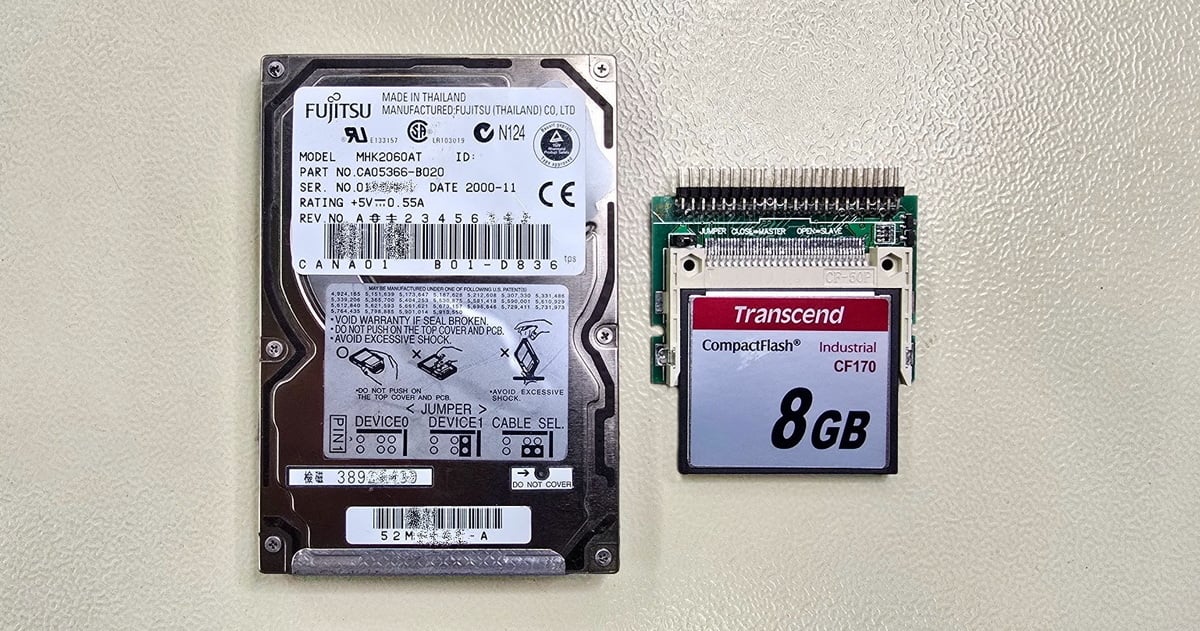
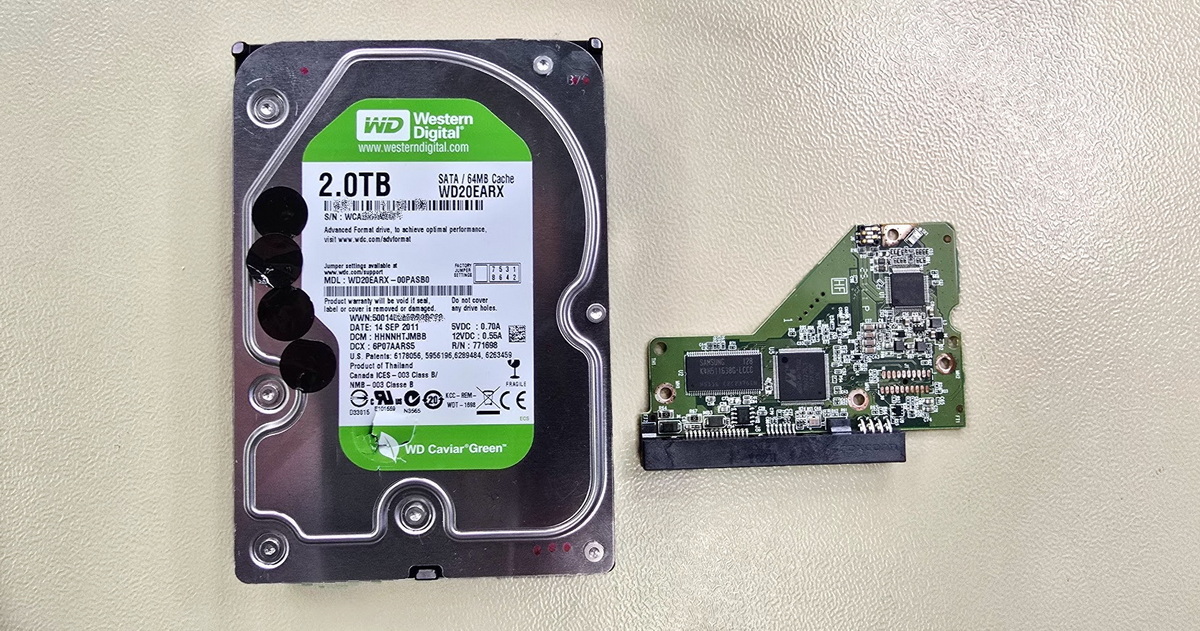
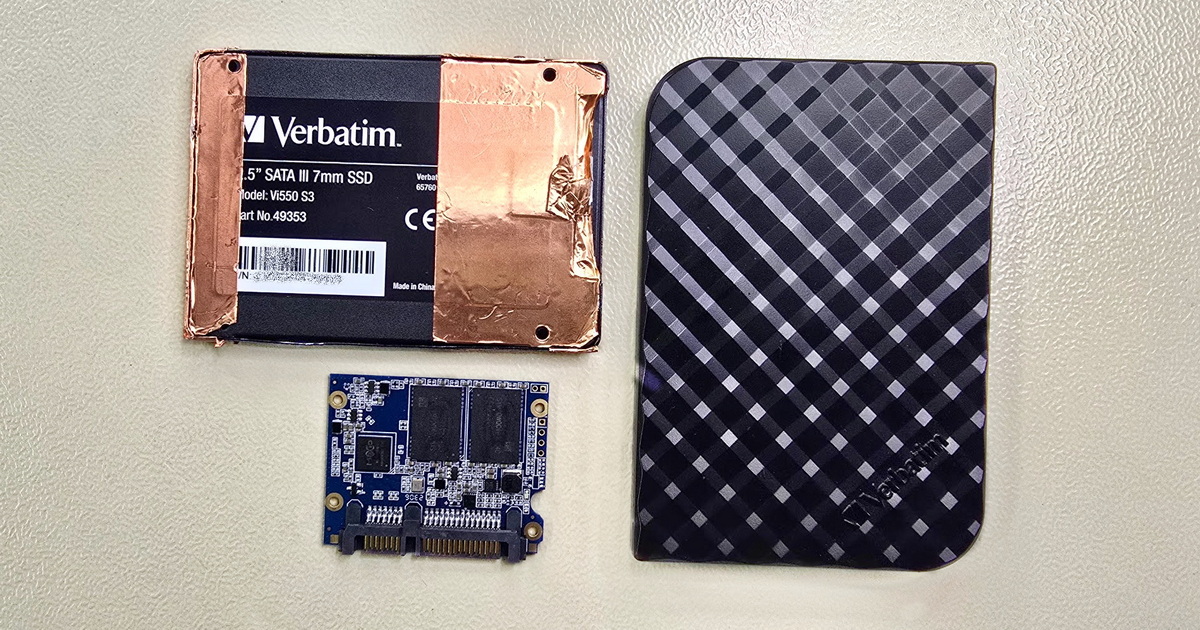
Professional data recovery for hard drives and external disks across all brands. We handle software and hardware failures—from deleted files to mechanically damaged drives. ACELab PC-3000 platform, our own laboratory since 2006.


Hard drive data recovery is the laboratory process of retrieving files from a mechanically, electronically, or logically damaged disk. We handle HDD data recovery across all brands—Western Digital, Seagate, Toshiba, Samsung, Hitachi/HGST and others—and across all drive types: internal, external, SSHD, SED-encrypted, SMR, and conventional CMR. At the EXALAB laboratory we work with the professional ACELab PC-3000 platform and perform hardware operations in a clean environment (ISO Class 5). Our long-term success rate exceeds 95 %. Diagnostics are free and non-binding; you only pay if the recovery succeeds.
Hard drive and external HDD data recovery still represents the largest share of cases in our field. We invest substantially in technology and training every year, which keeps our laboratory at the technical forefront of HDD data recovery worldwide.
HDD diagnostics are FREE and non-binding. We keep most replacement parts needed for HDD recovery in stock, which lets us start working on a case within hours and offer express service for current and legacy drive models, regardless of operating system or platform.
For an unspecific failure where the problem could be in the hard drive but also in the host computer or device, the best step is to use our free consultation and diagnostics. Don't hesitate to reach out. A few minutes on the phone can save you hours of guesswork.
Indicative price: from CZK 1,500
More info — how an HDD works, possible failure causes
Free consultation, diagnostics, pickup
The hard drive or external HDD seemingly behaves normally—it powers on (the motor spins up, the platters rotate), but the data is unreachable. The cause can vary. Let's narrow it down:
The drive appears to behave normally on connection—it spins up, no clicking, no unusual noises—try restarting the computer or unplugging and reconnecting the external drive. If the data is still unreachable, check whether the drive is correctly detected by the system.
If yes, the issue is likely a file system failure or incompatibility. There may also be a minor-to-moderate failure of the platter surface and/or read heads. User error cannot be ruled out either—incorrect handling of the drive, data, or file system… A computer virus is also a possibility. The issues described here are usually minor to moderate. More info here.
If no—the drive shows the wrong capacity (lower or zero), possibly the wrong model—it may be a PCB failure, a fault in the service area, or more serious degradation of the platter surface and/or read heads. This points to a more serious failure.
Indicative price: CZK 1,500–17,000
More info — how an HDD works, failure causes
Free consultation, diagnostics, pickup
Data was accidentally or intentionally deleted, or the entire drive was formatted. Everything else works normally. The methods for recovering deleted files vary by HDD type. The essential rule: do not continue to use the drive. Power down the device and contact us.
Indicative price: CZK 1,500–5,500
More info — recovering deleted files
Free consultation, diagnostics, pickup
Symptoms:
After the computer powers on, the drive does not spin up, doesn't function, or makes faint (almost inaudible) clicking sounds. An external drive doesn't power on at all, or the system identifies it incorrectly or as an unknown device. The cause may be a PCB failure, “stuck heads,” or a seized spindle motor. A seized motor is rare; the usual culprits are the PCB or stuck heads. DIY repair attempts can quickly become expensive. Use our free diagnostics.
Indicative price: CZK 4,000–17,000
More info — drive does not power on
Free consultation, diagnostics, pickup
Do not power on a hard drive after a drop or impact! Doing so can turn a recoverable case into a complicated one—or worse…
Symptoms:
This is a frequent problem with external hard drives, but it can affect any HDD. Inside a hard drive there are 1–5 platters spinning at high speed, and 1–2 read/write heads per platter—up to 10 heads in current consumer drives. If the drive takes an impact while running and stops responding, power off the device immediately. If the drive takes an impact (typically a fall) while powered off, the heads may dislodge and land on the platter surface. Sometimes they also deform. This state isn't necessarily fatal—provided you do not power the drive on. If you do power it on, there's a real risk of significant or fatal damage. Recovery then becomes very difficult, sometimes impossible. In the better case, the heads remain “stuck on the platters” and the spindle motor doesn't have enough torque to spin them up. This typically happens with portable 2.5" drives, which have weaker motors. If the motor manages to spin the platters, your data can literally turn to dust—see photos. Use our free consultation and diagnostics.
Indicative price: CZK 8,000–17,000
More info — HDD recovery after a drop or impact
Free consultation, diagnostics, pickup
Do not power on a hard drive after a drop or impact! Doing so can turn a recoverable case into a complicated one—or worse…
Symptoms:
This is often a consequence of a drop or impact. Sometimes failure occurs spontaneously—material fatigue or PCB faults. Failure typically happens at the platter and/or read head level. In roughly 10 % of cases the issue is on the PCB.
Indicative price: CZK 4,000–17,000
More info — recovery from clicking HDDs
Free consultation, diagnostics, pickup
Symptoms:
The issue may be in the service area (the drive's internal service data on the platters). It can be early-stage degradation of the platters and/or read heads, or a PCB fault. We see this often with Western Digital drives, Seagate or Toshiba SSHDs, but it can affect any brand. You can try connecting the drive to a different computer, but if the situation doesn't improve, don't experiment further—you risk more serious damage. We offer free consultation, diagnostics, and pickup; don't hesitate to reach out.
Indicative price: CZK 2,500–17,000
More info — recovery of inaccessible data
Free consultation, diagnostics, pickup
The drive doesn't make a sound after power-up, sometimes the computer doesn't power on at all, and data is fully inaccessible. The cause may be a faulty power supply, user error, mains surge, or even high humidity. Sometimes the damage is visible—or even smellable—on the PCB. The damage isn't necessarily limited to the external PCB; other components, the read heads, or the platters can also be affected. Use our free diagnostics.
Indicative price: CZK 4,000–17,000
More info — recovery after electrical damage
Free consultation, diagnostics, pickup
Fire and subsequent firefighting, floods, or other water damage don't necessarily mean total destruction of the drive and the data on it—but it is essential not to power the drive on after such an event. People sometimes mistakenly believe the drive housing is airtight or evacuated. The vast majority of consumer drives contain air, and you'll find a label on the housing reading “Do not cover breathing hole.” Beneath that hole is a filter that equalises pressure inside the drive. Water can also enter through the same opening. High temperatures can cause deformation. Water and fire can destroy the PCB, and in worse cases also the platters, heads, and other components. If your drive has been through such an event, use our free diagnostics.
Indicative price: CZK 3,000–17,000
More info — recovery after fire, flood, or water damage
Free consultation, diagnostics, pickup
Data is a valuable asset, and the best protection against misuse is encryption. Many users don't even realize their data is encrypted. The problem appears when the computer, storage device, or external drive unexpectedly fails. Encryption isn't only handled by user-activated software like BitLocker, FileVault, TrueCrypt, or VeraCrypt. Many computers ship with a cryptographic processor that monitors system integrity against unauthorized access. Some hard drives include the SED (Self-Encrypting Drive) function.
We can also help with other types of software or hardware failure. If your data is inaccessible, contact us for a consultation and diagnostics.
Indicative price: from CZK 1,500
More info — encrypted data without password, other software issues
Free consultation, diagnostics, pickup
A hard drive (HDD) is an electromechanical storage medium. Data is stored in a thin magnetic layer on the surface of platters. Read/write heads handle the data flow—they oscillate above the rapidly rotating platters and, together with the drive's electronics and firmware, ensure smooth data storage and retrieval according to the operating system's instructions. Some hard drives include a small NAND memory module (typically 8 GB or 16 GB) similar to what's found in SSDs; its purpose is to accelerate access to frequently used data. These hybrid drives are called SSHD (Solid-State Hybrid Drive). That's a brief summary of how HDDs and SSHDs work.
If you cannot access your data and aren't sure why, continue to the section “Drive failure with no obvious cause” here or contact us for a free consultation and diagnostics.
From a data-recovery standpoint, what matters most is that the data on the platters is still present (after deletion or formatting) and that the platters and service data are in a recoverable state. Recovery is further complicated by how some modern drives write, read, and erase data; by internal and user-level encryption; by the related PCB technology; and ultimately by the drive's mechanical construction.
Platters in a hard drive are typically 1–2 in number, but high-capacity drives may contain up to 5. You can find drives with more platters online; these aren't found in regular computers and tend to be museum pieces or specialized units. Platters are coated with a thin magnetic layer, and bits are recorded as positive or negative magnetic charges representing 1s and 0s. Mechanical damage to the platters can cause severe—and sometimes irreversible—data loss.
Read/write heads handle storage, reading, and erasure of individual sectors (both user data and service data). Head damage can occur on its own—through material fatigue over time—or from mechanical impact like a drop. Heads themselves are replaceable. The problem starts when deformed heads begin damaging the platters. Damaged heads, plus more or less damaged platters, combined with the recording technologies described below, can produce serious problems best left to specialists.
CMR, PMR, SMR are abbreviations for the recording technology used by the drive. CMR (Conventional Magnetic Recording) and the equivalent term PMR (Perpendicular Magnetic Recording) indicate conventional recording. Hard drives have used this technology for decades; in plain terms, the write track and the read track are the same width. SMR (Shingled Magnetic Recording) is a partially overlapping recording method that introduces several quirks for users and, under certain circumstances, can complicate or even prevent data recovery. Whether the case is deleted data or a more complex drive failure, SMR drives are not popular among data recovery specialists. They've been common in cheap external HDDs (notably Western Digital) since around 2018, and we encounter them elsewhere too. SMR drives are best suited for backup duty—use cases where data doesn't change often. For more on how SMR can complicate recovery of “merely deleted data,” see here.
SED — Self-Encrypting Drive — these are drives that encrypt data through internal processes by default. If the user wants to secure their data with a password, that password merely locks an existing key already stored on the drive—there's no need to encrypt the entire drive. The technology has been around for some time and works similarly in SSDs and mobile phones, although there it serves additional purposes beyond data security.
The complication for data recovery came with a newer extension of this technology: the manufacturer placed the data key inside the PCB processor and locked the communication between the ROM (the chip on the PCB containing service data) and the processor. This technology is called SED Locked, and until late 2022 it complicated recovery procedures for Western Digital external drives—of which there are vast numbers on the market, making them probably the most frequent patients in HDD data recovery.
For more on how an SMR drive with SED Locked electronics can complicate recovery, see here.
The drive's electronics (PCB) contain unique adaptive service data tied to one specific drive in 99 % of cases. Some drives also have the SED-Locked function described above, making a simple PCB swap impossible. For more on recovery from drives with damaged PCBs, see here.
The drive seems to behave normally—no unusual noises, the computer sees the drive—but the data is inaccessible—sometimes this is a trivial issue caused by file system incompatibility. For example, the drive was used in Windows with NTFS, and after connecting it to a Mac, the data is unreachable. To recover files, you need a computer with a compatible operating system or appropriate software to bridge compatibility.
File system failure—can be caused by purely software issues, but also by early-stage platter degradation. The drive may report correctly to the OS, yet the data is inaccessible. The data partition isn't visible, is marked as “RAW,” the OS prompts you to format the drive, and so on. This isn't necessarily severe, but you must avoid wrong moves. Contact us for a consultation or diagnostics.
Many drive issues are more complex than that. PCB failure, service data corruption, head or platter damage. From the user's perspective, gauging the severity isn't always easy. The PCB, platter, and head problems described below can occur on drives correctly identified by the OS or BIOS as well as on misidentified ones.
The drive seems normal at first glance, but the computer can't identify it correctly—for example, the wrong capacity and/or model is shown. With these symptoms, it's time to think carefully about next steps. They may indicate more serious damage and warrant professional help.
Service area errors (service data)—the data needed for proper drive operation, stored outside the user data area. Causes vary. Part of the service data lives in ROM on the PCB, part on the platters. Depending on the scope and cause of the damage, we choose the next steps accordingly.
PCB failure—is one possible cause and can present various symptoms depending on brand, technology, interface, and other factors. If the drive seems to behave normally, the right path to data may involve modifying the PCB and communicating with the drive over a different interface, allowing us to manipulate service data and gain better control over the process. HDD recovery in this category is usually moderately difficult.
Platter and/or head failure—is a frequent cause. The Service Area (SA) holds many service modules, some essential to drive operation. The SA lives on the platters outside the user data area, which means platter or head problems can compromise the quality and accessibility of service data. When the failure is at this level, professional handling is essential. Recovery is usually possible, but amateur attempts can limit what's achievable.
Free consultation, diagnostics, pickup
Pricing — failure with no obvious cause
When the operating system is told to delete files or directories, what happens on a hard drive (HDD) is that the OS marks that disk space as free for reuse, but the data itself is still physically present on the drive. The same applies after a quick format. So if you're using an older hard drive, or even a modern one with conventional recording (CMR / PMR), and your computer runs Windows, macOS, or Linux, there's a real chance of recovering the lost data.
The situation is different with modern SMR (shingled) drives. These are often found in external 2.5" enclosures (and in other applications where they previously weren't), so the average user has little awareness of where their data actually lands. In simple terms, an SMR drive divides space into groups, and each group contains several partially overlapping tracks. You can read from any track, but you can only write to the top one. To change data on a track that's overlapped by another, the drive must first rewrite all the overlapping tracks. These operations would take a long time if performed in real time, so the drive defers them to idle moments. This is called Disk Managed SMR, and the function can prevent recovery of deleted data: the drive may, in idle time, reorganize (overwrite) the deleted data so it can respond quickly to new OS commands. It optimally rearranges the tracks, and the free space (your deleted data) may be permanently gone.
Recovery prospects for deleted data may also be affected by the file system, encryption, and so on. Recovery is worth attempting on the condition that you don't give the drive a chance to perform the operations described—disconnect it and don't use it further. When you bring such a drive to us, we modify its service data to disable those operations. This cannot be done in a home environment or at a typical IT shop without proper equipment and skills, and any amateur attempt to recover deleted photos, documents, or other important data only reduces your chances of success.
SSDs, mobile phones, and some modern SD cards behave similarly. In flash media this function is called TRIM.
Free consultation, diagnostics, pickup
Pricing — recovery of deleted files
The cause may be the PCB, head failure, or a seized spindle motor.
PCB handles communication between the drive and the host. Older models have relatively simple PCBs, but most contain adaptive ROM tied to one specific drive. That means a simple PCB swap won't fix anything. Modern drives have considerably more complex PCBs. Locked internal data encryption (SED Locked), where not just the ROM but also the PCB controller is unique, prevents or complicates approaches that worked on older models.
These modern drives are often a tough nut even for experienced HDD recovery specialists.
Non-original PCB or ROM can be an unsolvable problem—see adaptive ROM above. Sometimes a user attempts recovery and swaps the PCB. Sometimes the drive has already been at an IT shop that doesn't specialize in data recovery, where they tried things that seemed logical to them. A non-original PCB can mean an unrecoverable case. If you decide to bring such a drive to us, please tell us what was done with the PCB beforehand.
Stuck heads on the platters—usually the result of a drop or impact, but for some 2.5" drives it's a frequent issue not preceded by any drop. You'll find DIY videos online on how to fix this. However, if the heads or sliders are already deformed, or if contaminants get into the drive during the attempt, more damage occurs inside the HDD. The simple fix can become a serious or fatal injury to the drive. In many cases, “stuck heads” are actually a more favorable state for the data than free-moving deformed heads that scrape the platter surface. Mechanical issues require great care and operations that demand specialized equipment and, above all, years of experience.
Seized spindle motor is a relatively rare fault, but when it happens, it's one of the most complicated cases. The platters, heads, and other components must be transferred to another (donor) drive. The platters mustn't be misaligned during the transfer, and there must be no mechanical damage. Recovery from this kind of failure must be left to data recovery specialists.
Free consultation, diagnostics, pickup
Pricing — drive completely dead
Do not power on a hard drive after a drop or impact! Doing so can turn a recoverable case into a complicated one—or worse…
Hard drives (HDDs) are electromechanical storage media. Inside the drive there are 1–5 platters spinning at high speed—typically 5,400 or 7,200 RPM in consumer drives. Magnetic heads handle reading and writing as they move above the rotating platters. HDDs can fail at multiple levels, and caution is essential when mechanical damage is suspected.
Modern hard drives have some level of impact protection, and a powered-on drive tries to “park” the heads in a safe area outside the user data zone (off the platters) when it senses an impact. With a sudden drop or strong impact this may not succeed, and the consequences can be serious. Heads sometimes deform completely, end up in unusual positions, or become “stuck on the platters.”
Each platter has a thin magnetic layer on the surface where the read/write heads record bits (positive or negative charges = 1s and 0s) that make up user data. Each head has a magnetic slider that levitates extremely close to the rotating platters.
On impact, the rotating platters and the magnetic sliders make contact. Severity depends on the strength of the impact, the angle, and a bit of luck. Even this single event can seriously damage the platters. Almost every user instinctively powers the drive on to access their data. One attempt is enough. Is the data inaccessible? Is the drive clicking or grinding? Don't push your luck—contact us for free diagnostics. Repeated attempts cause progressive degradation and sometimes total destruction of the platters—the thin magnetic layer is reduced to dust. At that scale, the damage is currently irreversible. Do not power on a mechanically damaged drive—use our free diagnostics. During diagnostics we open the drive in a clean environment and visually inspect platters and heads. Based on the result, we determine the right next step.
If you've already powered on a mechanically damaged drive and the data is accessible, immediately back up everything and then check the drive with appropriate software. There are cases where users do reach their data, only for the drive to fail later—sometimes after a longer interval. Trying to “repair” the external drive in such cases is pointless. Always store important data in at least two places. The quality of the storage matters less than redundancy: two cheap media statistically protect data better than one expensive medium.
Free consultation, diagnostics, pickup
Pricing — drive after drop or impact
Do not power on a hard drive after a drop or impact! Doing so can turn a recoverable case into a complicated one—or worse…
If the drive behaves this way after a drop or impact, continue here: Drop, impact, mechanical damage. What happens inside? The right approach can save your data.
In some cases (about 10 %) the same symptoms come from a PCB failure. Recovery is usually less technologically demanding then, but a simple PCB swap won't reach the data. Almost all hard drives have unique service data stored in two places: 1) the ROM chip on the PCB, 2) the Service Area (SA) on the platters. Some modern drives also have locked electronics (SED Locked), meaning unique data in ROM plus a unique controller, with the two components linked—mutually locked.
Clicking (or other strange noises) is the drive attempting to initialize. The drive powers on, the heads are commanded to read service data from the SA, but for some reason they fail. The heads retract from the data area and the drive tries again. It usually attempts initialization several times (sometimes many) before powering off. If, during such an attempt, the heads happen to be deformed, the platters can be seriously damaged.
The takeaway: clicking (or other unusual noises) on an HDD is never a good sign, and powering it on repeatedly is a bad idea. Especially if the symptoms followed a drop or impact, do not power the drive on at all and use our free diagnostics.
Free consultation, diagnostics, pickup
Pricing — clicking HDD
The issue may sit in the service area, where service data essential for the drive's operation is stored on the platters outside the user data zone. It can be early-stage platter or head degradation, often linked to service-area errors, or a PCB fault.
Frequent patients with these symptoms are Western Digital drives, especially externals. The platter surface and/or heads start failing. The drive begins miscommunicating with the host, with its electronics adding their own complications. External drives typically connect via USB, which has more limited communication options for recovery work than SATA. Diagnostics and recovery for an (external) drive then usually involve bypassing the USB interface, modifying the PCB to expose SATA, modifying service data (in ROM on the PCB and on the platter SA), and then attempting data extraction—creating a binary clone of the drive. Often one or more heads have already failed (external drives typically have 2–10 heads). When possible, we first image the data still readable through working heads, then swap the heads and attempt to image the rest.
Modern hard drives also frequently use SMR (Shingled Magnetic Recording) and feature encrypted internal communication—locked service data (SED Locked). Both can significantly affect recovery options and make drives more vulnerable to damage from amateur attempts. For example, a drive that loses its 2nd-level translator (T2) may appear completely empty, even though all the data is still there.
SSHD drives—once popular in laptops, made by Seagate and Toshiba—can produce similar symptoms. SSHDs are hybrid drives with a small SSD portion (usually 8 GB) and a conventional HDD as the main storage. The SSD caches frequently accessed data, and under certain conditions only that cached data may be available.
Hard drives of all brands can reach a state where they spin up seemingly normally but, due to early-stage platter or head degradation, only allow limited access to data. If you encounter this, we recommend our free diagnostics to head off larger problems.
Free consultation, diagnostics, pickup
Pricing — recovery of inaccessible data
Often the consequence of mishandling the PCB, using the wrong power adapter, or reversing power polarity… Humidity also doesn't agree with hard drives and can cause shorts and PCB oxidation. The fault may also lie in the computer's PSU or the external drive's enclosure. And, of course, lightning or mains surge. Any of these events can damage the electronics, with secondary failure of heads and platters as a result. For HDD recovery after such damage, use our free diagnostics.
Short circuit, power surge, wrong power adapter, reversed polarity—primarily damage the PCB, but the issue can be broader. Every drive has both external and internal electronics. Depending on circumstances, heads and platters may also be affected.
Humidity and subsequent oxidation can also cause failure or short circuits. One real-world example: an external drive sat next to plants that were watered regularly. Water gradually entered the drive's plastic enclosure, and the drive worked in that environment for a long time. One day, it failed.
If only the PCB is affected, the case is usually solvable. Every modern drive's PCB contains unique service data essential for proper initialization and operation—and ultimately for accessing user data. This service data lives in ROM (Read Only Memory). Some drives/PCBs also have a unique controller paired with the ROM, with locked communication between them (SED Locked). This technology further complicates recovery, and without the right equipment, software, and know-how, the problem can't be solved. A simple swap to another—seemingly identical—PCB leads nowhere; DIY HDD repair this way isn't possible.
Damage to heads and platters can occur if, during a PCB failure, work with the drive isn't terminated cleanly and the heads are left in a bad position. An amateur resuscitation attempt can cause broader damage and make the eventual recovery more complex and expensive.
Free consultation, diagnostics, pickup
Pricing — short circuit, power surge damage
Data may be recoverable after fire, firefighting, flooding, or water damage if the platters remain intact and the necessary service data can still be read from the PCB. Never test the drive's state yourself after such an event. Inappropriate actions can cause irreversible platter damage, ending any chance of recovery.
Fire and high temperatures primarily damage the external PCB, which itself can withstand quite a lot. In many cases only the chip with service data needs to be preserved—the rest of the PCB can be replaced. With newer drives the PCB controller may also be needed. More info here.
The drive housing is mostly metal with several seals. In most fire-damage HDD recovery cases we've handled, the PCB and the drive housing were partially damaged, while the platters were intact and recovery was possible. In worse cases, the heat is intense enough to deform the platters and destroy the data on them. Determining the exact state of the drive and the platters requires the right procedure. Use our free diagnostics!
Floods, water damage, firefighting, or even a burst pipe at a neighbor's flat can damage your computer, NAS, external drive, and so on. People often think a hard drive's interior is evacuated and water can't enter. That's not the case. The vast majority of drives contain air and have a filter to equalize pressure. Somewhere on the drive you'll find a small hole labeled “Do not cover breathing hole”—and water can enter through that opening. It usually doesn't happen with brief contact, but it does in cases where the room with the device is flooded for an extended period—worse still, with contaminated water.
Water that has entered the drive isn't necessarily an insurmountable obstacle to recovery, provided the user doesn't delay and brings the drive in for diagnostics promptly. Time matters!
Free consultation, diagnostics, pickup
Pricing — fire, flood, water damage
Until roughly 2012, the average user with a typical computer rarely encountered full-disk or full-partition encryption. BitLocker, FileVault, TrueCrypt and others had been offering encryption for a while, but full-disk encryption wasn't widespread among everyday users. With the gradual integration of BitLocker, FileVault, and LUKS/dm-crypt into operating systems—where the user can easily turn full-disk encryption on or off—data protection of this kind became accessible to everyone, including those who don't want to engage with the topic. Problems can arise from a forgotten password or from serious damage to a drive whose entire data partition is encrypted.
TPM (PC, Windows, Linux) and T2 (Apple)—cryptographic processors add another security layer. Combined with BitLocker, FileVault, or LUKS, a cryptographic processor can form very strong protection (a “cipher”) for user data while also monitoring overall system integrity against tampering.
SED — Self-Encrypting Drive—on hard drives this function isn't always active and may even differ depending on the destination market for which the drive was manufactured. One concrete example: we worked on a PCB failure of a Western Digital external drive in the Spyglass family. The drive from a Czechia-based client had SED active, while a near-identical drive from abroad had SED disabled.
SED-enabled drives have their data encrypted from first use, with the key stored directly on the platters in a readable format. Not readable to the user, but for an HDD recovery expert the key—and breaking it—is a solvable problem. The main purpose of this function is to let the user lock the data quickly with their own password at any time. The user password locks the drive's key. The same function is used in all SSDs and mobile phones.
User data is a valuable asset and deserves real protection. That means not only carefully and securely keeping the password to encrypted data, but also backing the data up to another medium. When a drive fails, active encryption can become a major obstacle.
Free consultation, diagnostics, pickup
Pricing — other software issues
Hard drive technology has evolved substantially over the past 10 years. Today's drives use higher recording density, are filled with helium instead of air, include hardware encryption, and have more complex service data. All of this affects the recovery process—sometimes simplifying it, more often requiring new laboratory procedures and professional tools. The overview below covers the technologies we currently encounter in data recovery work.
CMR (Conventional Magnetic Recording) and PMR (Perpendicular Magnetic Recording) are conventional methods where tracks on the platter sit side by side without overlap. SMR (Shingled Magnetic Recording) instead partially overlaps tracks on write—similar to roof shingles. The technology increases areal density at the cost of significantly more complex writes: changing one sector requires rewriting an entire zone of surrounding tracks.
To handle writes in real time, the SMR drive uses a 2nd-level translator (T2)—an internal remapping layer that tracks where individual data blocks are physically stored. If this translator fails (typically due to power surges, write interruptions, or logic errors), the drive can appear completely empty even though all the data is still on the platters. Standard recovery software fails here—it can't work with SMR's internal logic. Recovery requires a professional platform with access to the drive's service data and the ability to reconstruct the original mapping.
Until around 2016, virtually all hard drives on the market were CMR—shingled recording existed in manufacturer labs but rolled out to mass production slowly. The first major SMR deployment came in external 2.5" Seagate Rosewood drives (ST1000LM035, ST2000LM007) around 2016–2017. From 2018 onwards, other manufacturers gradually moved to SMR in their consumer products as well.
Rule of thumb: drives manufactured up to and including 2016 are almost certainly CMR, regardless of brand or family. Drives made from 2018 onwards are mostly SMR in consumer segments—and the year of manufacture and family aren't always externally distinguishable (WD My Book or My Passport externals look the same whether they're older CMR or the latest SMR).
In our laboratory we recover data from both generations—from older CMR drives manufactured between 2008–2016 to current SMR drives. Procedures differ, and SMR drives generally take more time and experience, but we handle both professionally.
If you're buying a new drive and want to avoid SMR, look explicitly for “CMR” in the datasheet—today CMR is more the exception than the standard. CMR currently shows up in enterprise lines (WD Ultrastar, Seagate Exos, Toshiba MG), in NAS-specific drives (WD Red Plus/Pro, Seagate IronWolf, Synology HAT), and in older models up to 2017.
If you have an SMR drive with inaccessible data, do not connect it repeatedly—every failed write attempt can degrade the internal structure further. Use our free diagnostics.
From 12 TB upwards, virtually all enterprise drives ship as helium-filled—the hermetically sealed housing contains helium instead of air. Helium has lower density, creates less aerodynamic drag on the rotating platters, and lets manufacturers fit 9–11 thinner platters per drive (compared to 4–6 in air-filled drives). The result: higher capacity and lower power draw. Typical lines: Western Digital Ultrastar DC HC550 and newer, Seagate Exos X20/X22/X24, Toshiba MG09/MG10.
For data recovery, helium introduces several specifics:
We work with helium-filled drives routinely. Every operation begins with thorough diagnostics that determine whether—and how—opening the drive is necessary.
HAMR (Heat-Assisted Magnetic Recording) is the newest recording technology, commercially available since 2024 in high-capacity Seagate Exos Mozaic 3+ enterprise drives (30 TB and above). For typical users, HAMR is still a niche technology—we encounter it only in specific datacenter deployments. Data recovery methodologies for HAMR are still stabilizing in the industry. If you have a HAMR drive with a problem, we'll perform free diagnostics and tell you the current options.
SED (Self-Encrypting Drive) is a hardware feature that encrypts the entire drive contents using a key stored directly in the drive's ROM (the Read Only Memory on the PCB). When SED is active, all data passes through the encryption chip and is unreadable without the key from ROM—even if someone physically removes the platters and transplants them into another drive.
On modern Western Digital external drives (My Book line, some My Passport models), SED is active by default from the factory—even if the user never set a password. This is commonly called SED Locked or techno-locked. In such cases, recovery requires not only access to the platters but also retrieval or reconstruction of the key from the original PCB, which is inseparably bound to the drive—it cannot be swapped for the PCB of another, even identical, drive.
In our laboratory, recovery from SED Locked drives is a routine service handled with ACELab PC-3000. The cardinal rule: never separate the drive from its PCB or remove it from the enclosure outside a professional environment—doing so reduces the chances of successful recovery.
The situation is different when the user has set their own encryption password:
The same principle applies to other encryption technologies—BitLocker (Windows), FileVault (macOS), LUKS/dm-crypt (Linux), VeraCrypt, the OPAL standard for enterprise drives. Without the password, recovery is not possible. More in the section Data is encrypted and I do not know the password.
Every modern hard drive continuously measures dozens of operational parameters and stores them in its internal diagnostic memory under the S.M.A.R.T. (Self-Monitoring, Analysis and Reporting Technology) standard. These values let you monitor a drive's state long before it physically fails. Most can be read with freely available tools—for example CrystalDiskInfo, smartctl (Linux, macOS), or HDDScan.
Of the dozens of attributes S.M.A.R.T. exposes, only a subset has real decision-making value. Some are purely informational (e.g. spindle RPM); others are critical and an increase signals an oncoming failure. The table below summarises the attributes we routinely evaluate during diagnostics—with a plain-English meaning and an indicative recommendation.
Always read S.M.A.R.T. values from the “RAW” column (the raw value), not from “Value” or “Threshold”—RAW shows the actual physical state. “Value” is the manufacturer's normalization, which can mask the real situation.
| ID | Name | Meaning | When to act (RAW value) |
|---|---|---|---|
| 5 | Reallocated Sectors Count | Sectors reallocated due to physical platter surface defects | Any increase above 0 = degradation has begun. Above 50–100 = back up immediately |
| 10 | Spin Retry Count | Number of failed attempts to spin up the drive | Value above 0 signals a motor problem—imminent failure |
| 22 | Helium Level | Helium level in hermetically sealed drives (helium-filled only) | Drop below 100 = helium leaking, drive will stop working |
| 183 | SATA Downshift Count | Number of times the drive switched to a lower SATA speed due to errors | Increase = bad cable, port, or drive interface |
| 184 | End-to-End Error | Data integrity error between drive and host (cache) | Any increase = risk of corrupted writes |
| 187 | Reported Uncorrectable Errors | Errors the drive could not correct (primarily Seagate) | Main warning signal on Seagate drives—any increase = back up immediately |
| 188 | Command Timeout | Number of commands the drive failed to respond to in time | Repeated increase = unstable behavior, oncoming failure |
| 189 | High Fly Writes | Writes performed with the head outside its optimal flight height | Occasional events are normal; sustained increase = surface damage risk |
| 190 / 194 | Temperature | Drive temperature (air / core) | Sustained above 45–50 °C shortens lifespan; above 60 °C is critical |
| 193 | Load Cycle Count | Number of head park cycles to the load/unload position | Manufacturer specifies a limit (typically 600,000). Rises quickly on laptop drives |
| 196 | Reallocation Event Count | Number of reallocation attempts (successful and unsuccessful) | Increase tracks attribute 5—degradation is progressing |
| 197 | Current Pending Sector Count | Sectors awaiting reallocation (not yet remapped) | Highly critical—any increase above 0 = back up immediately |
| 198 | Uncorrectable Sector Count | Sectors that cannot be read or repaired | Fatal—data in these sectors is likely lost |
| 199 | UDMA CRC Error Count | Errors during data transfer over the SATA cable | Usually a cable or port problem, not the drive itself |
| 200 | Multi-Zone Error Rate (WD) / Write Error Rate (Seagate) | Errors during platter writes | Increase = write problems, often precedes sector reallocations |
If S.M.A.R.T. shows simultaneous increases in attributes 5, 187, 197, and 198, the drive shows progressive degradation and you should secure your data as soon as possible. In that case:
S.M.A.R.T. is useful but is not a reliable guarantee that a drive won't fail. A 2007 Google study of tens of thousands of drives showed that up to 36 % of failed drives showed no warning S.M.A.R.T. values before failure. A drive can fail even when S.M.A.R.T. looks completely healthy—particularly with:
Treat S.M.A.R.T. as a useful warning signal, not as full insurance. The 3-2-1 rule for backups (3 copies of data, on 2 different media types, 1 copy off-site) remains the most reliable protection against data loss.
Over the past two decades, the hard drive market has consolidated dramatically. Today, virtually all HDDs are produced by three platter makers—Western Digital (including the integrated HGST and historically Hitachi), Seagate (including the integrated Samsung Spinpoint, Maxtor, and LaCie), and Toshiba (including the acquired Fujitsu). Most other brands we encounter actually use platters and heads from these three. That doesn't mean recovery procedures are identical across brands—each manufacturer uses its own firmware, service area, electronics, and (for external drives) often its own hardware encryption.
In our lab we work with drives from all common brands, across consumer and enterprise segments. Procedures differ by manufacturer, line, and specific model. If you're looking for brand-specific information, jump to the matching page:
One of the most common consumer brands. We work with all WD product lines—Elements, My Book, My Passport, WD Blue, Red, Black, Gold, Purple, and enterprise Ultrastar HC. WD external drives are notable for hardware encryption (SED), which adds complexity to the recovery process. Western Digital data recovery →
The second-largest hard drive manufacturer. We see all the major lines—Barracuda (consumer desktop), IronWolf (NAS), Firecuda (gaming SSHD), SkyHawk (surveillance), enterprise Exos, and external Expansion, Backup Plus, and One Touch drives. Seagate often presents firmware and translator issues, especially in the mobile 2.5" Rosewood line. Seagate data recovery →
A traditional manufacturer with a strong position in laptop 2.5" drives and Canvio external lines (Basic, Ready, Advance, Flex). On the consumer side, the P300 and L200 lines; on enterprise, MG/MN. Toshiba retains conventional CMR recording on most lines even in newer models. Toshiba data recovery →
Samsung exited the hard drive business in 2011 (the division was acquired by Seagate), but legacy Spinpoint drives are still in service. Samsung now focuses on SSDs (850/860/870 EVO, 980/990 PRO) and portable T5/T7/T9 drives, where it remains a major player. Samsung data recovery → (page in preparation)
Hitachi made hard drives under the Deskstar and Travelstar brands, with enterprise Ultrastar lines. In 2012, the HGST division (Hitachi Global Storage Technologies) was sold to Western Digital. We mostly encounter Hitachi/HGST drives in enterprise deployments and older consumer models. Hitachi and HGST data recovery → (page in preparation)
ADATA produces external drives (HD650, HD710, HV620, HV320) and SSDs (the SU lines). Their external drives are OEM rebrands using internal WD or Toshiba platters; recovery procedures follow the internal manufacturer. ADATA data recovery →
Most external drives from smaller brands are OEM rebrands—they contain hard drives made by WD, Seagate, or Toshiba inside. The recovery procedure follows the internal manufacturer, not the brand on the case. We work with drives from LaCie (Rugged, Porsche Design—Seagate-owned), Verbatim, Kingston, Intenso, Silicon Power, Transcend (StoreJet), Freecom, Maxtor (legacy, Seagate), Fujitsu (legacy, Toshiba), and others. If your drive isn't on this list, contact us—in the vast majority of cases we'll accept the drive into the lab.
Free consultation, diagnostics, pickup
HDD data recovery requires specialized tools that aren't generally available on the open market. Our laboratory uses the professional ACELab PC-3000 platform in a complete configuration—the stationary PC-3000 Express, the portable PC-3000 Portable III Ultimate, and the latest PC-3000 Portable PRO Ultimate. We also have specialized variants for flash media and mobile devices. Alongside the PC-3000 platform, we work with in-house know-how built up over nearly two decades in the field—proprietary scripts and procedures we've developed for specific failure types and drive models.
We acquired the PC-3000 Portable III Ultimate among the first laboratories in Czechia. Regular investment in the latest equipment keeps us at the technical forefront—the data recovery field shifts with every new generation of drives, and without current tools you can't keep pace with modern media (SED encryption, helium-filled drives, NVMe SSDs, encrypted mobile storage).
For direct work on drive hardware we have microscopes, soldering and BGA rework stations—visual inspection of heads and platters is essential for hardware faults, as is precise PCB work (transferring service data between PCBs, repairing SMD components after a surge). We keep compatible donor drives in stock for 99 % of current models, a clean workspace for opening drives, and antistatic stations.
The combination of the PC-3000 platform, in-house know-how, hardware tools, and donor parts inventory is why we can handle complex cases that aren't feasible elsewhere.
The common question “How do I recover data from an (external) drive?” is best answered after diagnostics or at least a consultation. HDD diagnostics and consultation are free with us. More complex faults should be left to specialists.
If there's any suspicion of mechanical damage from a drop or impact, or if the drive makes unusual noises, avoid amateur recovery attempts. These symptoms indicate the drive can't initialize properly, and the heads and/or platters may be damaged. More info on “Drive is clicking or grinding…” here.
In some cases the drive seems to be working fine, but data is inaccessible. Continue here.
You can try simpler software issues yourself. With today's media, even recovering deleted data isn't necessarily easy or possible—unlike the old days of conventional recording. How to retrieve data from an (external) drive after deletion or formatting—see here.
For everything else, continue here.
If the drive has failed entirely (not initializing), is making unusual noises, has been exposed to water or fire… avoid amateur recovery attempts and contact us for a consultation or free diagnostics. We'll inspect the HDD and tell you the recovery options.
After a drop or strong impact there's a real risk of head deformation and platter damage. Ideally, do not power the drive on at all and use our diagnostics. HDD diagnostics are free. More info on recovery after a drop or impact here.
Clicking, grinding, and other unusual noises from inside a drive can signal a serious problem—a head or platter fault. In about 10 % of cases the culprit is the PCB. Do not power on the drive again! HDD diagnostics are free with us; please use them. More info on recovery options here.
Recovery of deleted data is usually possible. The key is to disconnect the drive (or power off the device) right after deletion and to choose the next steps carefully. Recovery from an (external) drive is limited by several factors: the internal recording technology (CMR/PMR/SMR), any subsequent writes after deletion, the file system, possible encryption… Use our free diagnostics, consultation, and pickup. More info on “How to recover deleted files from an (external) drive” here.
Photo recovery, as with other data recovery, is usually possible. It's important to disconnect the drive (or power off the device) immediately after deletion and to choose next steps carefully. Photo recovery is limited by several factors: the internal recording technology (CMR/PMR/SMR), any subsequent writes after deletion, the file system, possible encryption… Use our free diagnostics, consultation, and pickup. More info on “How to recover deleted photos” here.
A hard drive is an electromechanical storage medium that can fail at multiple levels. Failure can be purely software (accidental formatting, deletion, file system damage, virus infection), at the level of the drive's service data, or in hardware (PCB, heads, or platter surface). HDD recovery can range from relatively simple to very complex. Choosing the right approach and avoiding rushed actions is essential. Use our free diagnostics. More info on possible HDD failure causes here.
A hard drive is an electromechanical storage medium and is most vulnerable to impacts when powered on. Avoid unnecessary handling of a powered-on drive, and store and transport powered-off drives so they don't suffer impacts or drops. That said, hard drives are consumer electronics and even the best drive can fail. The best prevention is regular backups. Logical as it sounds, “backing up” means having data in two or more places. Just moving data to another drive is not a backup. What to do if a drive fails—see here—or request our free diagnostics or a consultation: contact us.
The price is driven by the expected technical and time complexity of solving the problem—specifically, whether the issue is software-solvable or whether it requires PCB modifications, invasive operations, and replacement of internal components. Mechanical damage typically involves head replacement and related work. Drive capacity or the volume of target data doesn't significantly affect the price for typical drives. Diagnostics are free and non-binding; don't hesitate to reach out.
After receiving the drive, we run free diagnostics. The client gets a report describing the fault, the recovery options, and the cost and time estimates. We typically present 3–4 speed tiers in diagnostics; speed affects price. If you need data fast, you can pay for priority or express handling. If time isn't critical, the cheaper option is available. After completion, the client receives a report listing the recovered data. Invoicing and data handover follow.
If you're in a hurry, we start work within hours. If you don't need the data quickly and prefer a lower price, the timeline extends. All details come with the free, non-binding diagnostics—you choose the variant that fits.
HDD recovery itself typically runs in the range of several days to weeks, driven mainly by fault type, drive technology, and drive capacity. We keep replacement parts in stock for 99 % of hard drives.
Mostly, not significantly. Common hard drive capacities today range from 500 GB to 30 TB. The price is mainly driven by fault type and drive technology (CMR/SMR, helium, SED), not by size itself.
For high-capacity helium-filled drives (20 TB and above) and modern SMR drives, diagnostics can be more demanding—we'll always tell you during free diagnostics. Larger volumes are otherwise mostly seen in RAID and NAS arrays.
Technologically it's the same hard drive—an external drive is usually a regular 2.5" or 3.5" HDD inside a plastic enclosure with a USB interface. The differences come down to two points:
Diagnostics are free for both types. We never recommend removing an external drive from its enclosure on your own—on SED Locked models you risk reducing the chance of recovery.
The most serious values are those indicating physical degradation of the platters or heads:
If the RAW value of any of these rises above zero, back up your data immediately and stop using the drive. We'll do a detailed S.M.A.R.T. check for free during diagnostics. The full attribute reference is in the section S.M.A.R.T. attributes of hard drives.
Older hard drives (manufactured up to roughly 2017) are simpler in construction, easier to work with at the hardware level, and have less complex service data. Modern hard drives are more complex both in construction and technology:
Each of these technologies puts higher demands on lab equipment and experience. Diagnostics and standard operations require a professional platform such as ACELab PC-3000.
If the drive failed without an obvious cause and behaves seemingly normally—no unusual noises—try connecting it to a different computer, try a different data cable, on external drives also a different USB cable or power adapter. Otherwise, only if the data is dispensable, you can try recovery software. With SMR drives you won't recover even deleted data on your own, and just powering such a drive on reduces the chance of recovery. Use our free diagnostics.
CMR (Conventional Magnetic Recording) is conventional recording where the write track is the same width as the read track. SMR (Shingled Magnetic Recording) partially overlaps tracks during writes, which raises capacity but complicates writes and recovery.
SMR is found today in some WD Red models (the EFAX line), Seagate Rosewood (ST1000LM035, ST2000LM007), Seagate Archive, and most 2.5" external drives—WD My Book, My Passport, Seagate Expansion/Backup Plus. An SMR drive has its own internal data management (the 2nd-level translator). If this internal logic fails, the drive can appear empty even though data is physically present on the platters. SMR recovery requires professional equipment (in our case ACELab PC-3000)—standard software typically can't help. If you're unsure, use our free diagnostics.
Yes, but diagnostics and operations are technically more demanding than with regular air-filled drives. Helium-filled drives (typically 12 TB and above—WD Ultrastar, Seagate Exos, Toshiba MG enterprise lines) contain 9–11 thinner platters and are hermetically sealed—they cannot be opened and resealed for reliable continued operation.
In a controlled clean environment, we can open a helium-filled drive, replace damaged heads, and create a binary copy of the data. After the operation, the drive is no longer fit for further use—it serves only as a data source. With mechanically damaged helium drives, the key is not to power them on and to contact us immediately.
Yes. SED Locked (Self-Encrypting Drive) is a hardware function that encrypts drive contents with a key stored directly in ROM on the PCB. On modern Western Digital external drives (My Book, some My Passport models), SED is active by default even when the user has set no password.
If no user password was set, recovery is solvable—the key in ROM can be processed with the right equipment. If the user set their own encryption password and lost it, recovery isn't technically possible without the password. More on working with SED Locked drives in the section hardware-encrypted drives.
Data recovery and HDD repair aren't the same thing. For mechanical damage or PCB failure, we only address data recovery. For software failures, both data recovery and HDD repair may be possible. Contact us—diagnostics and pickup are free.
Mechanical drive damage may require invasive operations that compromise the factory dust seal. For less severe platter damage we can sometimes avoid an invasive intervention, but even after successful recovery the drive isn't fit for normal use. If you need recovery from a mechanically damaged drive, see Drop, impact, mechanical damage.
PCB damage—solving PCB faults often requires service data interventions and, on modern PCBs, broader modifications to the electronics. In most cases, repairing the drive for safe normal use is impossible or uneconomical.
Software-based “HDD repair”—damaged file system, file system incompatibility. This isn't really HDD repair in the strict sense. If platter surface issues aren't involved, “HDD repair” through software is possible. More on software fault remediation in the section Drive failure with no obvious cause. Recovery options.
If your question is about HDD repair rather than data recovery, see the dedicated page HDD repair — common faults and solutions.
Data recovery and external drive repair aren't the same thing. For mechanical damage or PCB failure, we only address data recovery. For software failures, both recovery and repair may be possible. Contact us—diagnostics and pickup are free.
Mechanical damage to an external drive may require invasive operations that compromise the factory dust seal. For less severe platter damage we can sometimes avoid an invasive intervention, but even after successful recovery the drive isn't fit for normal use. If you need recovery from a mechanically damaged external drive, see Drop, impact, mechanical damage.
PCB damage—solving PCB faults often requires service data interventions and, on modern PCBs, broader modifications to the electronics. In most cases, repairing the drive for safe normal use is impossible or uneconomical.
Software-based “external drive repair”—damaged file system, file system incompatibility. This isn't drive repair in the strict sense. If platter surface issues aren't involved, “external drive repair” through software is possible. More on software fault remediation in the section Drive failure with no obvious cause. Recovery options.
For more on HDD repair, see the dedicated page HDD repair — common faults and solutions.
Software can address software-related faults and file system issues. In some cases, this can recover deleted data, retrieve data after formatting, or restore file system compatibility. Mechanically damaged drives require professional data recovery. Contact us—diagnostics and pickup are free.
Full information on HDD repair is on the dedicated page HDD repair — common faults and solutions.
Confidentiality and treating data as private is the absolute default for us. If the nature of the case requires it—or if you simply want confidentiality contractually guaranteed—don't hesitate to request a non-disclosure agreement.
Are your data insured? Before you confirm an order, we'll issue a “fault confirmation” so you can have your insurer approve the recovery costs—and only then confirm the order.
EXALAB Data Recovery
Microshop s.r.o.
Pod Marjánkou 4
169 00 Praha 6
Česká Republika
Opening hours:
Monday to Thursday
9.00 - 18.00
Friday 9.00 - 17.30
other opening hours are possible upon agreement
Hotline: +420 608 177 773
Office: +420 233 357 122
E-mail: [email protected]
Hotline: +420 608 177 773
Kancelář: +420 233 357 122
E-mail: [email protected]
Opening hours:
Monday to Thursday
9.00 - 18.00
Friday 9.00 - 17.30
other opening hours are possible upon agreement
EXALAB Data Recovery
Microshop s.r.o.
Pod Marjánkou 4
169 00 Praha 6
Česká Republika